Loading
Get Sc Fr-4k 2020-2026
How it works
-

Open form follow the instructions
-

Easily sign the form with your finger
-

Send filled & signed form or save
How to fill out the SC FR-4K online
The SC FR-4K form is a crucial document for individuals whose liability insurance coverage has lapsed due to military service or illness. This guide provides a step-by-step approach to filling out the form accurately and efficiently in an online format.
Follow the steps to successfully complete the SC FR-4K online.
- Click the ‘Get Form’ button to access the document and open it in your preferred online editor.
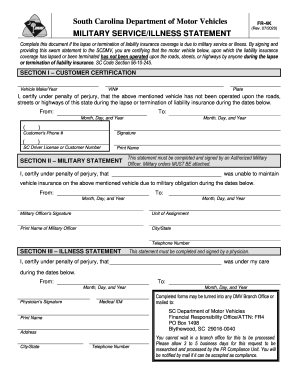
- In Section I, enter the vehicle make, year, VIN number, and license plate in the designated fields to identify the vehicle in question.
- Certify under penalty of perjury in the provided statement that the vehicle was not operated during the lapse of insurance. Enter the applicable dates in the 'From' and 'To' fields using the format Month, Day, and Year.
- Fill in your phone number, SC driver license or customer number, and print your name as a declaration of the details provided.
- In Section II, if applicable, have an authorized military officer complete their statement, including their signature, unit of assignment, print name, and contact information. Ensure that military orders are attached to this section.
- For the illness statement in Section III, a physician must fill out the details, confirming that you were under their care during the specified dates. The doctor should sign and provide their medical ID number.
- Review all your entries to ensure accuracy, then save any changes made to the document. You may choose to download, print, or share the completed form as needed.
Complete your documents online today to ensure compliance and expedite the process.