Loading
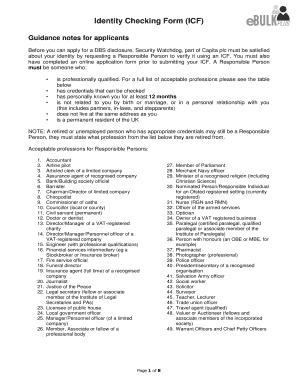
Get Identity Checking Form (icf) - Ofsteddbsapplication.co.uk
How it works
-

Open form follow the instructions
-

Easily sign the form with your finger
-

Send filled & signed form or save
How to fill out the Identity Checking Form (ICF) online
This guide provides users with clear and supportive instructions on how to effectively complete the Identity Checking Form (ICF) online. Understanding each section of the form will assist you in accurately submitting your identity verification for a DBS disclosure.
Follow the steps to successfully fill out the Identity Checking Form (ICF).
- Press the ‘Get Form’ button to obtain the Identity Checking Form (ICF) and open it in your preferred editor.
- Complete Section A of the ICF. Ensure to use block capitals as required and provide your application reference, first name, middle name(s), surname, address, postcode, date of birth, daytime contact number, and email address. Be mindful that impersonation is a criminal offense.
- Once you have filled out Section A, take the form along with your original identification documents to a Responsible Person. They will need to verify your identity and complete Section B of the form.
- Ask the Responsible Person to provide their details and signature in Section B, confirming that they have verified the necessary documentation. Make sure they complete the identification details, including the specific ID documents they have seen.
- After the form is fully completed, send pages 3, 4, and 5 to the appropriate office using your preferred method. This can include scanning and emailing to capitadbs@capita.co.uk with the applicant's name in the subject line, or postal submission to Security Watchdog.
- Ensure you do not include any original identification documents if posting the form. Opting for Recorded Delivery is recommended to ensure the form is received.
- Once sent, retain a copy of the completed form and reference number for your records. Follow up if necessary to confirm receipt of your submission.
Start completing your Identity Checking Form (ICF) online today for your DBS application.
All DBS applications will need to undergo an ID verification to confirm the applicant's identity. This process will need to be carried out by the employer and the applicant will need to be present. The employer must ensure they do the following: Follow the three- route ID checking process which can be found here.