Loading
Get Cts1461
How it works
-

Open form follow the instructions
-

Easily sign the form with your finger
-

Send filled & signed form or save
How to fill out the Cts1461 online
Filling out the Cts1461 form online can seem daunting, but with careful attention to detail, the process can be straightforward. This guide offers step-by-step instructions to assist users in completing the form accurately and efficiently.
Follow the steps to complete the Cts1461 form online.
- Press the ‘Get Form’ button to obtain the form and open it in your online editor.
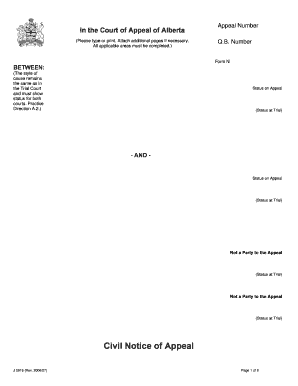
- Begin by entering the appeal number and Q.B. number in the designated fields at the top of the form.
- Fill in the style of cause, maintaining the same format as in the Trial Court, ensuring it displays status for both courts.
- In the 'Judgment' section, indicate whether you are appealing the whole order or only specific parts by checking the appropriate box and providing details if necessary.
- Specify the source of the order being appealed from, either the Court of Queen’s Bench or a Board, Tribunal, or Professional Discipline Body, and provide any required case details.
- Complete the particulars of the judgment, including the dates it was pronounced, entered, and served. Attach a copy as required.
- Choose the type of order under appeal by checking the correct option, such as interim order or final order, and provide any necessary specifications.
- Answer questions about the nature of your appeal, including whether it involves error correction, new law, or family law issues, and check the applicable boxes.
- Indicate whether mediation has been attempted and if you are willing to participate in Judicial Dispute Resolution.
- List the estimated time for your argument and provide details about the respondent(s), including their names and contact information.
- Review all sections for completeness and accuracy before proceeding to save changes.
- Once finished, save changes, download, print, or share the form as needed to ensure it is properly filed.
Complete your documents online today to ensure a smooth filing process.
If you are suing for injuries or damages caused to yourself or your property, for example an assault or a car accident, the time limit is generally 2 years from the date of injury or damage.