Loading
Get Nz Progressive Enterprises Employment Application Form 2021-2026
How it works
-

Open form follow the instructions
-

Easily sign the form with your finger
-

Send filled & signed form or save
How to fill out the NZ Progressive Enterprises Employment Application Form online
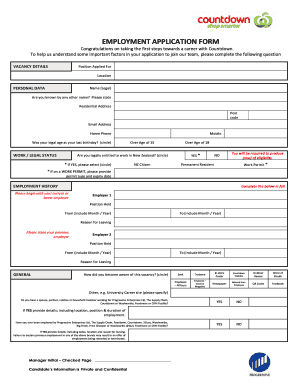
Completing the NZ Progressive Enterprises Employment Application Form online is an important step in your journey to join the Countdown team. This guide provides clear, step-by-step instructions to help you navigate each section of the application with confidence.
Follow the steps to fill out the application form accurately.
- Click ‘Get Form’ button to obtain the form and open it for completion.
- Begin with the vacancy details section. Enter the position you are applying for and the location of the job.
- In the personal data section, provide your legal name and any other names you may be known by. Fill in your residential address including the postcode, email address, and home phone number. Confirm your legal age by indicating whether you were over the age of 15 and 18 on your last birthday.
- For the work/legal status section, confirm your entitlement to work in New Zealand by circling either yes or no. If yes, specify if you are a New Zealand citizen, a permanent resident, or hold a work permit. If you have a work permit, include the type and expiry date.
- Complete the employment history by listing your current or most recent employer first. Include details such as the employer's name, your position held, the period you worked (from month/year to month/year), and the reason for leaving. Repeat this for a second employer.
- In the general section, indicate how you learned about the job vacancy. If you have a spouse, partner, relative, or household member employed at Progressive Enterprises, disclose this information. Also, include any previous employment with the company or its associated brands.
- Answer the questions related to criminal records and driving history, being sure to provide details if you answer yes to any of the inquiries.
- In the additional skills section, list any relevant skills, including computer competencies and language fluency that you possess to support your application.
- Provide your availability to work, selecting whether you are interested in full-time or part-time employment and indicating your willingness to work on a seven-day roster. Specify your available days and hours.
- Fill in the referees section with two references, preferably former managers, including their contact information and your relationship to them.
- Review the declaration section carefully. Confirm your understanding and agreement to the terms, then provide your signature and the date.
- Once you have completed the form, be sure to save your changes. You can also download, print, or share the form as needed.
Complete your application today and take the next step towards a rewarding career with Countdown.