Loading
Get Canada Sc Ins5168 2021-2026
How it works
-

Open form follow the instructions
-

Easily sign the form with your finger
-

Send filled & signed form or save
How to fill out the Canada SC INS5168 online
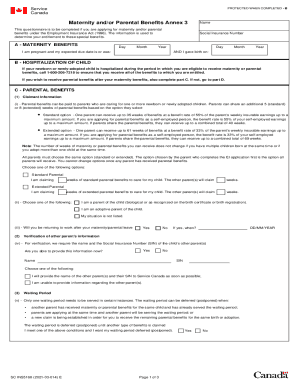
The Canada SC INS5168 form is essential for those applying for maternity and/or parental benefits under the Employment Insurance Act. This guide provides clear steps on how to properly complete the form online to ensure a smooth application process.
Follow the steps to fill out the Canada SC INS5168 form online
- Press the ‘Get Form’ button to access the Canada SC INS5168 application form and open it in the editing interface.
- In section A, provide your name, Social Insurance Number, and expected due date. If applicable, enter the actual date of birth to confirm your eligibility for benefits.
- If your newborn or newly adopted child has been hospitalized, note this and ensure you call the provided number for further assistance.
- In section C, indicate if you are applying for standard or extended parental benefits, selecting the appropriate number of weeks you and the other parent will claim.
- In part D, answer whether you or the child's other parent has received benefits from the Quebec Parental Insurance Plan, if applicable.
- In section E, if applicable, confirm your understanding of the need to report earnings when exempted from submitting reports to receive benefits.
- Lastly, complete the declaration and signature section, confirming the truthfulness of the information provided and the date of signing. Save changes, download, print, or share the completed form as needed.
Complete your Canada SC INS5168 application online today for timely access to your benefits.