Loading
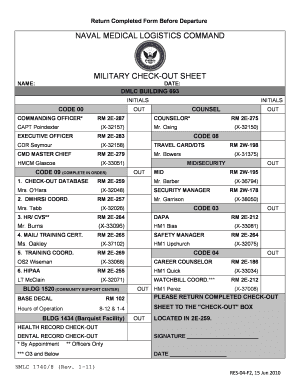
Get Naval Medical Logistics Command Military Check-out Sheet
How it works
-

Open form follow the instructions
-

Easily sign the form with your finger
-

Send filled & signed form or save
How to fill out the Naval Medical Logistics Command Military Check-out Sheet online
Filling out the Naval Medical Logistics Command Military Check-out Sheet online is an essential step for personnel preparing for departure. This guide provides clear instructions to help users complete the form accurately and efficiently.
Follow the steps to complete the check-out sheet with ease.
- Click ‘Get Form’ button to obtain the form and open it in the editor.
- Enter your full name in the designated field labeled 'NAME'. This section is crucial as it identifies you as the individual completing the check-out process.
- Fill in the 'DATE' field with the appropriate date of completing the form. Ensure that the date is current and reflects the day you are checking out.
- Review the component sections on the form, including any required initials from designated personnel. Make sure to follow the instructions for where to obtain these initials.
- Complete the fields corresponding to your travel arrangements such as 'TRAVEL CARD/DTS' by providing relevant details as necessary.
- Provide required information for health record check-out and dental record check-out. This usually entails checking the respective boxes, if applicable.
- Sign and date the document in the spaces provided at the bottom of the form. This signature validates your check-out process.
- Once all sections are filled out and verified for accuracy, save your changes. You may also download, print, or share the document as per your needs.
Complete your Naval Medical Logistics Command Military Check-out Sheet online today for a seamless departure process.
Navy Medicine Readiness and Training Command New England (NMRTC NE) is the health care system for the Navy in the Northeast Region, providing medical care to over 70,000 beneficiaries.