Loading
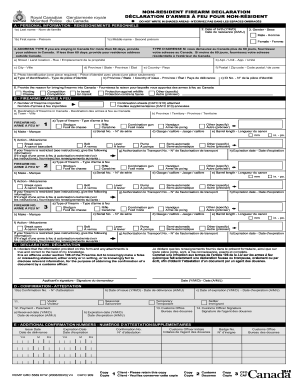
Get Canada Firearms Declaration Form
How it works
-

Open form follow the instructions
-

Easily sign the form with your finger
-

Send filled & signed form or save
How to fill out the Canada Firearms Declaration Form online
Filling out the Canada Firearms Declaration Form can seem daunting, but with this guide, you will find the process straightforward and manageable. This guide will walk you through the essential steps to complete the form online, ensuring clarity and compliance with regulations.
Follow the steps to easily complete your Canada Firearms Declaration Form online.
- Press the ‘Get Form’ button to obtain the Canada Firearms Declaration Form and open it in your preferred electronic editor.
- Begin by filling out Section A, which requires your personal information. Include your last name, first name, middle name, date of birth (formatted as year/month/day), and gender.
- Indicate your address type in Box 4. If your stay in Canada is 60 days or fewer, provide your residence address outside Canada. If staying longer, provide the address where you will reside in Canada.
- For Box 5, be sure to list one piece of official photo identification. Indicate the type of identification and provide its number.
- Complete Box 6 by stating the reason for bringing firearms into Canada, choosing from options like hunting, competition, or protection against wildlife.
- In Section B, input the number of firearms you are declaring in Box 7. If you have more than three firearms, you will need to attach a continuation sheet.
- Fill in Box 8 with the destination of your firearms in Canada, specifying the city and province.
- For each firearm, in the provided boxes, list the type, make, serial number, gauge/calibre, barrel length, and action type. Ensure accurate measurements and details.
- If declaring a restricted firearm, provide the Authorization to Transport number and its expiration date, ensuring all details are correct.
- Sign the declaration in Section C, confirming that the information provided is true and correct.
- Once completed, review the form for accuracy, then save your changes. You can now download, print, or share the completed Canada Firearms Declaration Form.
Start filling out your Canada Firearms Declaration Form online today to ensure a smooth entry into Canada.
You must register any restricted or prohibited firearm The Criminal Code lists three classes of firearms: non-restricted, restricted, and prohibited. You must register any restricted or prohibited firearm. Non-restricted firearms include ordinary shotguns and rifles, such as those commonly used for hunting.