Loading
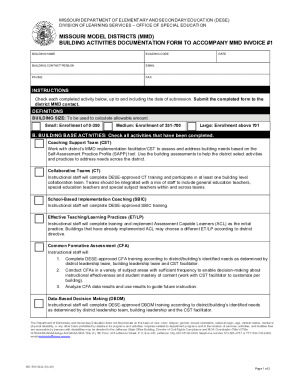
Get Mo 500-3222 2020-2026
How it works
-

Open form follow the instructions
-

Easily sign the form with your finger
-

Send filled & signed form or save
How to fill out the MO 500-3222 online
This guide provides clear and comprehensive instructions for completing the MO 500-3222 form online. Whether you are familiar with digital forms or this is your first experience, you will find step-by-step guidance to help you navigate each section effectively.
Follow the steps to successfully fill out the MO 500-3222 form
- Press the ‘Get Form’ button to acquire the document and open it.
- Begin by entering the building name, building code, and contact details for the building contact person, which includes their email and phone number.
- Indicate the date of submission in the designated field.
- Check off each completed activity listed under the Building Base Activities section, ensuring alignment with the activities completed up to the submission date.
- In the Building Value-Added Activities section, check all relevant activities that have been successfully completed.
- Review the certifications section and ensure all information checked is accurate and backed by documentation available at the building.
- Finally, save your changes, download the completed form, print it out for records, or share it as necessary.
Complete your documents online with confidence using these detailed instructions.