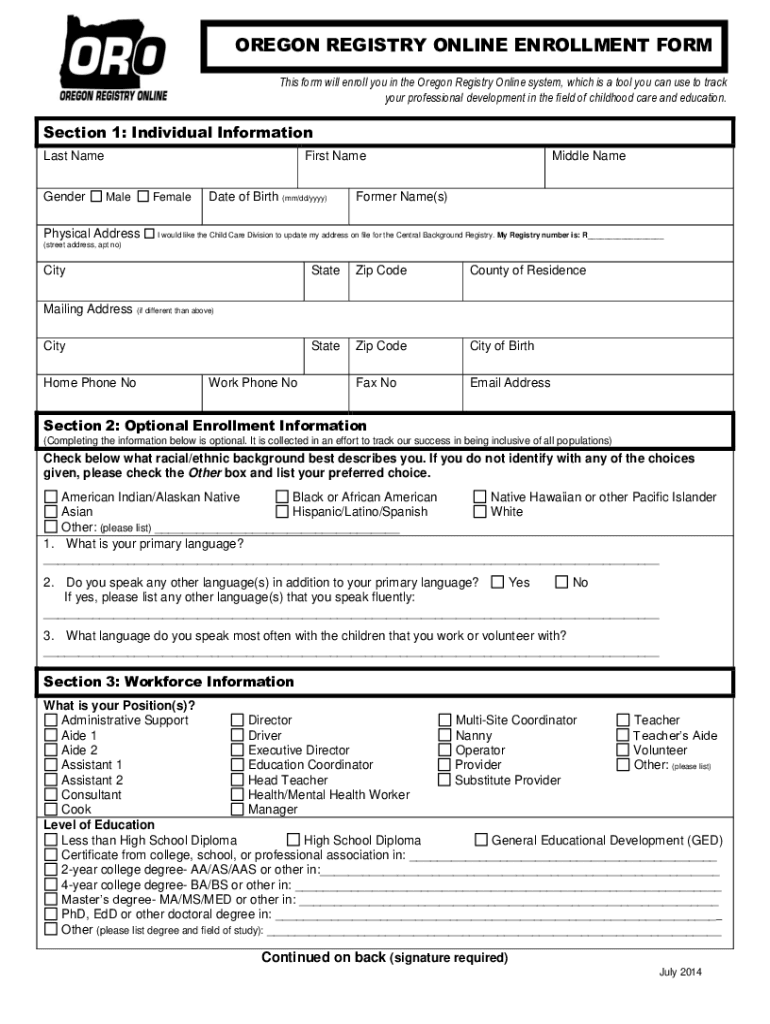
OREGON REGISTRY ONLINE ENROLLMENT FORM This form will enroll you in the Oregon Registry Online system, which is a tool you can use to track your professional development in the field of childhood.
Loading

Open form follow the instructions

Easily sign the form with your finger

Send filled & signed form or save
How to use or fill out the OR Registry Online Enrollment Form online
The Oregon Registry Online Enrollment Form is essential for individuals seeking to track their professional development in childhood care and education. This guide provides clear, step-by-step instructions to help you complete the form efficiently and accurately while ensuring inclusivity and clarity in language.
Follow the steps to complete the form online effectively.
- Click ‘Get Form’ button to obtain the form and open it in a digital editor.
- Carefully fill out Section 1: Individual Information. Enter your last name, first name, middle name, and any former names. Provide your physical address, date of birth, and mailing address if different. Ensure your contact numbers and email address are accurate.
- Complete Section 2: Optional Enrollment Information if you choose. Here, you can share your racial/ethnic background, primary language, and any other languages you speak. This section is optional but helps promote diversity and inclusion.
- In Section 3: Workforce Information, indicate your position by selecting from the provided options. Specify your level of education by selecting the applicable choice or entering details of your degrees.
- In Section 4: Employment/Volunteer Information, describe the facility where you work or volunteer. Provide the facility name, phone number, and address, as well as the type of facility.
- If applicable, complete Section 5: Childcare Facility Information. Answer questions about the licensing status of your facility and describe your work setting and the age groups of children you work with.
- In Section 6: Enrollment Authorization, read the consent section carefully. By signing, you permit the sharing of your information with authorized personnel. Ensure you provide your printed name and date signed as required.
- Finally, review the completed form for accuracy. Once you are satisfied, save your changes, and you may choose to download, print, or share the form as needed.
Now that you have this guide, start filling out the OR Registry Online Enrollment Form online to manage your professional development effectively.
Experience a faster way to fill out and sign forms on the web. Access the most extensive library of templates available.
Related content
Business registration forms are available in Adobe PDF. ... Where online filing is an...
OCCD offers several online training sessions specific to Oregon childhood care and...
If not, apply online, via paper ... B. Paper Medicare Enrollment Application (Form...
Use professional pre-built templates to fill in and sign documents online faster. Get access to thousands of forms.
If you believe that this page should be taken down, please follow our DMCA take down process here.