Loading
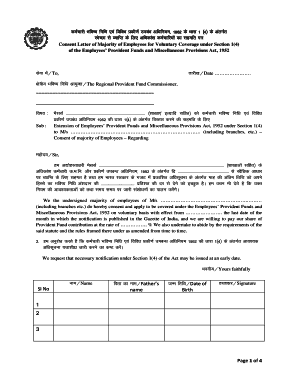
Get Consent Letter Of Majority Of Employees For Voluntary Coverage
How it works
-

Open form follow the instructions
-

Easily sign the form with your finger
-

Send filled & signed form or save
How to fill out the consent letter of majority of employees for voluntary coverage online
Filling out the consent letter of majority of employees for voluntary coverage is an important step in ensuring compliance with the Employees’ Provident Funds and Miscellaneous Provisions Act, 1952. This guide provides clear instructions to help you successfully complete the form online.
Follow the steps to complete the form effectively.
- Click the ‘Get Form’ button to obtain the consent letter form and open it in your document editor.
- Enter the date on which you are completing the form. This is essential for record-keeping.
- Provide the name and address of the regional provident fund commissioner to whom this consent letter will be submitted.
- Fill in the name of your organization in the designated area, including any branches or additional locations if applicable.
- Clearly state your request for voluntary coverage under Section 1(4) of the Act, including any specific conditions or requirements.
- Collect the names, father's names, dates of birth, and signatures of the majority of employees consenting to this coverage. Make sure that the names are accurate.
- Ensure that the consent reflects the percentage of providential fund contributions that employees are willing to collectively agree upon.
- If necessary, add additional sheets with signatures and names of more employees to support the majority consent.
- Complete the employer section, including the name of the signatory, the position in the organization, and the date of signing.
- Review all entered information for accuracy to ensure compliance with legal standards, then finalize the document.
- Once completed, save the changes to the document, and use the options available to download, print, or share the consent letter as needed.
Complete and submit your consent letter online to ensure proper coverage under the Employees' Provident Funds Act.
How to Fill PF Form 11? Name of the member. Father's Name or Spouse's Name (whichever is applicable) Date of Birth. Gender (Male, Female, and Transgender) Marital Status. Contact Details – Email ID and Mobile Number.
Industry-leading security and compliance
US Legal Forms protects your data by complying with industry-specific security standards.
-
In businnes since 199725+ years providing professional legal documents.
-
Accredited businessGuarantees that a business meets BBB accreditation standards in the US and Canada.
-
Secured by BraintreeValidated Level 1 PCI DSS compliant payment gateway that accepts most major credit and debit card brands from across the globe.