Loading
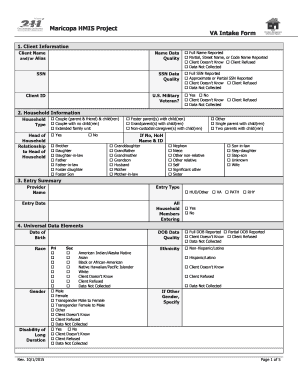
Get Maricopa Hmis Project Intake Form Va Intake Form - Bcirorgb
How it works
-

Open form follow the instructions
-

Easily sign the form with your finger
-

Send filled & signed form or save
How to fill out the Maricopa HMIS Project Intake Form VA Intake Form - Bcirorgb online
The Maricopa HMIS Project Intake Form VA Intake Form - Bcirorgb is an essential document for assessing the needs and services for individuals requiring assistance. This guide provides a clear and structured approach to filling out the form online, ensuring that all necessary information is collected accurately.
Follow the steps to complete the form successfully.
- Click ‘Get Form’ button to access the form and open it in the online editor.
- Begin with the client information section. Fill in the client’s full name or alias as required. Select the appropriate data quality option to indicate how the name was provided.
- Next, enter the client's Social Security Number (SSN) and choose the data quality status for this field.
- Indicate whether the client is a U.S. military veteran by selecting 'Yes' or 'No,' or select the appropriate status if the client doesn’t know or refused to answer.
- Move to the household information section. Select the household type and fill in the relationship to the head of household from the provided options.
- In the entry summary, specify the provider name, entry type, and entry date. Confirm if all household members are entering by answering 'Yes' or 'No.'
- Fill out the universal data elements, including the client's date of birth, race, gender, disability status, and ethnicity. Ensure you select the corresponding data quality options.
- Detail the client's type of residence prior to program entry. Choose from the given options and indicate the length of stay at that location.
- Provide information about the client’s income and benefits. Enter the total monthly income and specify sources of income at entry.
- Complete the disabilities section by indicating any applicable conditions and whether documentation is available. Ensure that the client acknowledges all disabilities and related services.
- In the education section, select the highest level of education attained by the client and address any domestic violence history as applicable.
- Finally, review the completed form for accuracy. Save changes, download, print, or share the form as required.
Complete the Maricopa HMIS Project Intake Form VA Intake Form - Bcirorgb online today to ensure you receive the necessary support.