Loading
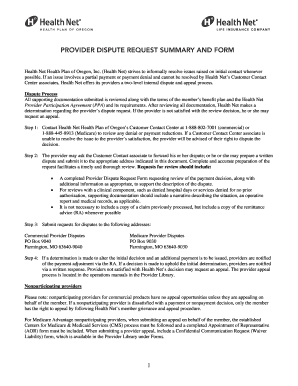
Get Or Health Net Provider Dispute Request Summary And Form 2017-2026
How it works
-

Open form follow the instructions
-

Easily sign the form with your finger
-

Send filled & signed form or save
How to use or fill out the OR Health Net Provider Dispute Request Summary And Form online
Navigating the OR Health Net Provider Dispute Request Summary And Form might seem daunting, but this guide aims to simplify the process for users. It provides a clear, step-by-step approach to help you effectively complete the form and submit your dispute online.
Follow the steps to successfully complete the OR Health Net Provider Dispute Request Summary And Form.
- Press the ‘Get Form’ button to access the document and open it for editing.
- Provide the date in the format mm/dd/yyyy at the top of the form. This is essential for tracking your request.
- Fill in the requestor information section. Enter your provider name, provider number or tax ID, contact name, telephone number, and address details including city, state, and ZIP code.
- Sign the form as the requestor to affirm the validity of the information provided. Include your fax number, if applicable.
- In the claim information section, enter the member’s name, member ID number, claim number(s), date(s) of service, billed amount, and processing date to ensure accurate processing of your dispute.
- Specify the action you are requesting. This may include details like authorization number, billed/allowed amount, coordination of benefits (COB), denied as duplicate, diagnosis code, number of units, member responsibility, place of service, procedure code/modifier, and any additional relevant information in the description of the request.
- Attach any necessary supporting documentation, such as a copy of the remittance advice and corrected claims or chart notes, as required by the context of your dispute.
- Once you have completed all relevant sections, carefully review the form for accuracy. Finally, save your changes, and depending on your needs, download it for printing or sharing.
Complete your dispute request online today to ensure a timely review of your issue.
www.healthnet.com/medicare. Choose the plan for your area that you would like to enroll into. Click the See More Details link. Click the Apply Now button. Follow the step-by-step instructions on the application, and click submit.