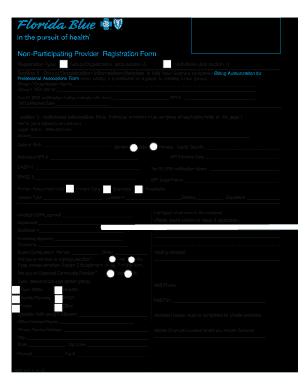
Get Fl Florida Blue Non-participating Provider Registration Form
How it works
-

Open form follow the instructions
-

Easily sign the form with your finger
-

Send filled & signed form or save
How to fill out the FL Florida Blue Non-Participating Provider Registration Form online
Filling out the FL Florida Blue Non-Participating Provider Registration Form online is a straightforward process designed to facilitate registration for non-participating providers. This guide will provide you with clear, step-by-step instructions to ensure that you complete each section accurately and efficiently.
Follow the steps to fill out your registration form efficiently.
- Press the ‘Get Form’ button to access the FL Florida Blue Non-Participating Provider Registration Form and begin the filling process.
- Determine the registration type you are applying for: Group/Organization or Individual. Complete the appropriate section based on your selection. If registering as a Group, skip Section 2. If registering as an Individual, skip Section 1.
- For Section 1, which is for Group/Organization Information, fill in the Group/Organization name, Group/DBA name, Tax ID, NPI number, and NPI effective date. Ensure you attach the IRS notification letter.
- For Section 2, Individual Information, provide your name as it appears on your license, legal name if different, date of birth, gender, Social Security number, NPI number, CAQH number, and Tax ID. Also, indicate your primary role and provide details regarding your license type and state.
- In Section 3, provide practice details including types of services rendered, Medicaid and Medicare numbers, practicing specialty, taxonomy, and board certification status. Include your mailing address and indicate if you are part of a group practice.
- Complete Section 4 if the payment address is different from your primary address. Otherwise, check the corresponding box if the payment address is the same.
- In Sections 5 through 6, provide billing company information if applicable, and for each practice location, list the necessary details including street address, city, state, zip code, phone, and fax numbers.
- Sections 6(b), 6(c), and 6(d) require you to provide details about owners, medical directors, key office staff, and supporting documentation for key documents. Ensure that all required IDs are attached.
- In Section 8, report any final adverse legal actions and ensure to attest to the accuracy of the provided information in the certification section. Sign accordingly and ensure all signatures are original.
- After filling out the form entirely, review all sections for completeness and accuracy. Once verified, save your changes, and you may proceed to download, print, or share the form as needed.
Get started today by completing your FL Florida Blue Non-Participating Provider Registration Form online.
To get the phone number for Florida Blue's prior authorization provider, it is best to check your member handbook or the Florida Blue website. They have a dedicated customer service line for providers that can assist with prior authorizations. If you are submitting requests, the FL Florida Blue Non-Participating Provider Registration Form may come into play during this process.