Loading
Get The Pados System Pados - Login Pados Getting Started ... - Wipo - Wipo
How it works
-

Open form follow the instructions
-

Easily sign the form with your finger
-

Send filled & signed form or save
How to fill out The PADOS System PADOS - Login PADOS Getting Started online
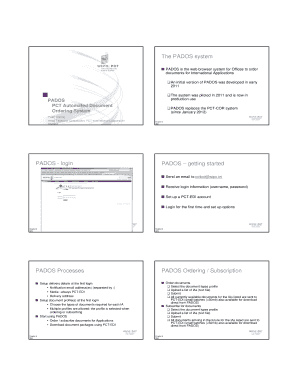
The PADOS system simplifies the ordering of documents for international applications. This guide provides a step-by-step overview to help users effectively navigate and fill out the necessary sections of the PADOS system online.
Follow the steps to successfully navigate and complete the PADOS form.
- Click the ‘Get Form’ button to obtain the form and open it in your browser.
- Send an email to pcticd@wipo.int to receive your login information, including a username and password.
- Set up a PCT-EDI account, which is necessary for electronic data interchange.
- Log in to the system for the first time using the credentials received and set up your options.
- During your initial login, set up delivery details by providing notification email addresses, selecting the media type as PCT-EDI, and specifying the delivery address.
- Create document profiles for your needs by selecting the types of documents required for each international application. Note that multiple profiles can be set.
- Begin using the PADOS system to order or subscribe to documents related to applications.
- Download document packages using PCT-EDI. At this stage, you will have the option to save changes, print, or share the completed forms.
Complete your documents online using the PADOS system today!
Industry-leading security and compliance
US Legal Forms protects your data by complying with industry-specific security standards.
-
In businnes since 199725+ years providing professional legal documents.
-
Accredited businessGuarantees that a business meets BBB accreditation standards in the US and Canada.
-
Secured by BraintreeValidated Level 1 PCI DSS compliant payment gateway that accepts most major credit and debit card brands from across the globe.