Loading
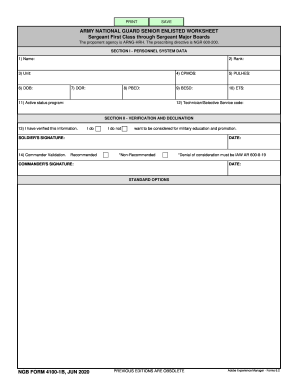
Get Ngb Form 4100-1b (formerly 4100-1b-r-e) 2020-2026
How it works
-

Open form follow the instructions
-

Easily sign the form with your finger
-

Send filled & signed form or save
How to fill out the NGB Form 4100-1B (formerly 4100-1B-R-E) online
Filling out the NGB Form 4100-1B online can streamline the process of applying for military education and promotion within the Army National Guard. This guide provides clear, step-by-step instructions to help users navigate through the form efficiently.
Follow the steps to complete and submit the NGB Form 4100-1B online.
- Click ‘Get Form’ button to access the NGB Form 4100-1B and open it in your browser.
- In Section I, personnel system data, enter your full name in the 'Name' field. Ensure that your name matches official documents.
- Fill in your unit information in the 'Unit' field. This should correspond to your assigned military unit.
- Complete the 'PBED' (Promotion Board Eligibility Date) field with the required date.
- Input your primary military occupational specialty (CPMOS) and PULHES code (Physical Profile Serial System) as applicable.
- Indicate your technician or selective service code in the last field of Section I.
- Provide your signature confirming the verification of information. The signature confirms your intent to be considered for military education and promotion.
- After verifying all information is accurate and complete, save your changes. You may also download, print, or share the completed form as necessary.
Begin filling out the NGB Form 4100-1B online today to ensure your application for military education and promotion is submitted effectively.