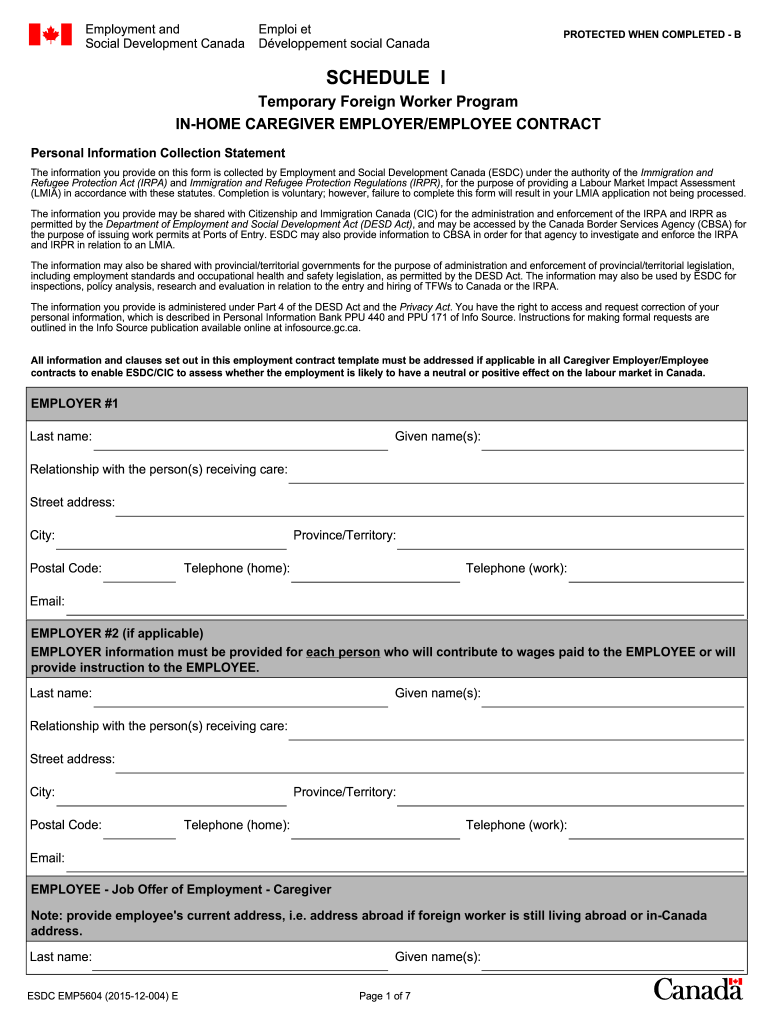
TRACT Personal Information Collection Statement The information you provide on this form is collected by Employment and Social Development Canada (ESDC) under the authority of the Immigration and Refugee Protection Act (IRPA) and Immigration and Refugee Protection Regulations (IRPR), for the purpose of providing a Labour Market Impact Assessment (LMIA) in accordance with these statutes. Completion is voluntary; however, failure to complete this form will result in your LMIA application not being.
Loading

Open form follow the instructions

Easily sign the form with your finger

Send filled & signed form or save
How to fill out the CA ESDC EMP5604 online
The CA ESDC EMP5604 form is essential for employers and caregivers participating in the Temporary Foreign Worker Program in Canada. This guide will assist users in completing the form accurately and effectively.
Follow the steps to successfully complete the CA ESDC EMP5604.
- Click the ‘Get Form’ button to access the EMP5604 form online and open it in your preferred editing tool.
- Begin with the employer information section. Fill in the last name, given name(s), relationship to the person receiving care, address, city, postal code, province/territory, telephone numbers, and email for Employer #1. If there is a second employer, repeat these details for Employer #2.
- Provide the employee details. Enter the employee's last name, given name(s), date of birth, address, city, postal code, province/territory, country, and telephone numbers.
- Indicate whether the employee will work at the employer's residence in Canada. Provide details if they will work at a different location, including specific address and contact information.
- Describe the household where the care will be provided, including the total number of rooms, bedrooms, and details of all household members.
- State the duration of the contract and the anticipated start date.
- Complete the job description by detailing the type of care needed, the name and age of the individual(s) requiring care, and the caregiver's responsibilities.
- Outline the work schedule, including hours per week, meal breaks, days off, and vacation details, ensuring alignment with provincial/territorial labor standards.
- Specify wage information, including hourly rate, payment frequency, and overtime details, while confirming compliance with employment standards.
- Fill in information regarding recruitment fees, accommodation provisions, transportation costs, and healthcare insurance, where applicable.
- Input the notice periods for both resignation and termination as per provincial/territorial labor standards.
- Gather all required signatures from employers and the employee on the last pages of the form and ensure all information is complete and accurate before finalizing.
- After completing the form, you can save changes, download a copy for your records, print it out, or share it as needed.
Complete your documentation online today to facilitate a smooth application process.
Experience a faster way to fill out and sign forms on the web. Access the most extensive library of templates available.
Get answers to your most pressing questions about US Legal Forms API.
How to find LMIA approved jobs in Canada?
Finding LMIA-approved jobs in Canada involves searching specialized job boards, recruitment agencies, and employers who publicly state their willingness to hire foreign workers. You can also use resources shared in the CA ESDC EMP5604 for guidance. Engaging with immigration consultants might provide additional insights into job opportunities.
How long does it take to process LMIA for caregiver?
The processing time for an LMIA application for caregivers typically ranges from a few weeks to several months. Delays can occur due to incomplete applications or the complexity of the job involved. Staying organized and utilizing the CA ESDC EMP5604 can help ensure a smooth application process, fostering quicker approvals.
How to get an offer for an LMIA job in Canada?
To receive an offer for an LMIA job, start by searching online job portals and company websites that advertise LMIA-approved positions. Networking and connecting with employers can also yield positive results. Familiarizing yourself with the CA ESDC EMP5604 requirements and showcasing relevant skills enhances your appeal to potential employers.
How hard is it to get LMIA in Canada?
Securing an LMIA in Canada can be challenging, but it is achievable with the right approach. Employers must provide proof of their efforts to recruit locally and show how the position meets specific labor market needs. By following the guidelines laid out in the CA ESDC EMP5604, you can improve your chances of success significantly.
How to get LMIA approval?
To obtain LMIA approval, you need to submit a detailed application to Employment and Social Development Canada (ESDC). This application should demonstrate that the job cannot be filled by a Canadian citizen or permanent resident. Providing comprehensive documentation strengthens your case. You can find guidance and templates on the CA ESDC EMP5604 to streamline your application process.
What is a job approval letter in Canada?
A job approval letter in Canada confirms that an employer can hire a foreign worker for a specific position under predefined conditions. It is a part of the larger work permit process and reflects the employer's compliance with labor laws. Familiarizing yourself with the CA ESDC EMP5604 can help you understand the requirements for obtaining this letter.
Can I apply for LMIA by myself?
Yes, individuals can apply for an LMIA on their own, provided they meet all application requirements. However, navigating the process can be complicated, and having the right tools and information is essential. The CA ESDC EMP5604 can serve as a valuable resource to guide you through the application process smoothly.
What is ESDC approval in Canada?
ESDC approval refers to a verification process that ensures an employer's application for hiring foreign workers meets the required standards. This approval plays a key role in protecting the Canadian job market and ensuring fair practices. Utilizing the insights from CA ESDC EMP5604 can help clarify the steps needed for obtaining this approval.
How to get 200 points for LMIA?
To achieve 200 points for a Labor Market Impact Assessment (LMIA), you must show that the position requires specialized skills or qualifications. Documenting the business's efforts to recruit Canadian citizens or permanent residents can also enhance your chances. The CA ESDC EMP5604 process provides insightful guidelines to help maximize your points effectively.
What does an approval letter mean in Canada?
In Canada, an approval letter indicates that the Canadian employer has received consent to hire a foreign worker under specific conditions outlined by ESDC. This letter serves as a crucial part of the process in obtaining a work permit. It reflects compliance with local labor market needs, which you can navigate with the CA ESDC EMP5604 for guidance.
Use professional pre-built templates to fill in and sign documents online faster. Get access to thousands of forms.
If you believe that this page should be taken down, please follow our DMCA take down process here.
This form is available in several versions. Select the version you need from the drop-down list below.