Loading
Get Dg1 Form
How it works
-

Open form follow the instructions
-

Easily sign the form with your finger
-

Send filled & signed form or save
How to fill out the Dg1 Form online
Filling out the Dg1 Form online can be a straightforward process when you understand each section. This guide provides clear, step-by-step instructions to help you navigate the form with confidence.
Follow the steps to successfully complete the Dg1 Form online.
- Click ‘Get Form’ button to access the form and open it in the editor.
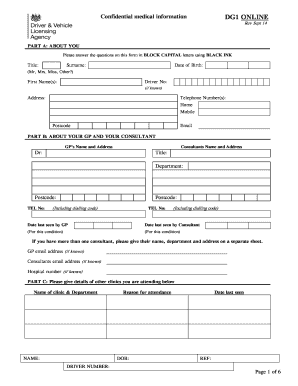
- Fill in your personal details in Part A, including your title, surname, first name(s), date of birth, driver number, address, telephone numbers, and email address. Ensure you use BLOCK CAPITAL letters and BLACK INK.
- In Part B, provide information about your General Practitioner (GP) and any consultants you may have seen. Include their names, addresses, telephone numbers, and the dates you were last seen by them.
- If applicable, detail any other clinics you are attending in Part C. Indicate the name of the clinic, department, reason for attendance, and relevant dates.
- Respond to the questionnaire regarding your medical fitness to drive. Ensure that you answer each question fully and accurately.
- In the driver declaration section, confirm that the information provided is correct, and sign and date the document as indicated.
- Complete the applicants declaration by reading the important information carefully. Sign to confirm your understanding and authorizations.
- Finally, save your changes, and choose to download, print, or share the form as needed.
Start filling out your Dg1 Form online today!
Multiple sclerosis, motor neurone disease, Parkinson's disease and other conditions affecting your nervous system can all affect your ability to drive. Again, you'll have to fill in a questionnaire and you may be given a licence for a limited time.