Loading
Get Oh Hsy7001 2012-2026
How it works
-

Open form follow the instructions
-

Easily sign the form with your finger
-

Send filled & signed form or save
How to fill out the OH HSY7001 online
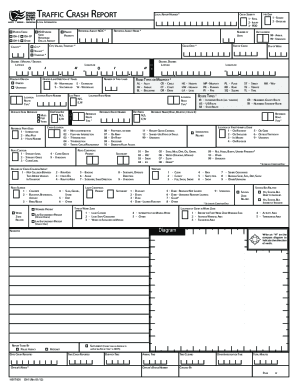
Filling out the OH HSY7001 form online is an important step in reporting traffic crashes. This guide provides clear and supportive instructions to help users navigate the form effectively.
Follow the steps to complete the form accurately and efficiently.
- Click the ‘Get Form’ button to access the OH HSY7001 form and open it for editing.
- Begin by filling in the 'Local Report Number' field with the designated number related to the crash.
- Provide local information such as the county where the crash occurred. Additionally, indicate if the reporting agency is private or public.
- In the 'Location Route Number' field, enter the relevant route number.
- Choose the direction from reference using the compass designations (N, S, E, W).
- Indicate the road contour by selecting options such as 'Straight Level' or 'Curve Level'.
- Document any workers or law enforcement present during the crash. This includes filling out corresponding fields.
- Choose the light conditions that were present at the time of the crash.
- Complete the section regarding the location of the first harmful event, selecting from the options.
- Finally, review all the information for accuracy. Once satisfied, save your changes, or choose to download, print, or share the completed form.
Complete your OH HSY7001 document online to ensure proper reporting of traffic incidents.