Loading
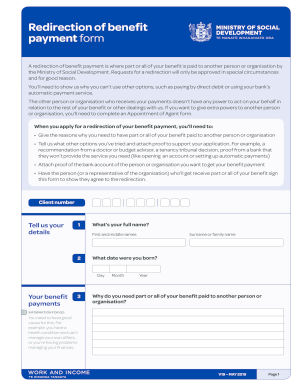
Get Nz V19 2019
How it works
-

Open form follow the instructions
-

Easily sign the form with your finger
-

Send filled & signed form or save
How to fill out the NZ V19 online
Filling out the NZ V19 form is a critical step for users seeking to redirect their benefit payments. This guide provides a straightforward approach to help you complete the form accurately and efficiently.
Follow the steps to fill out the NZ V19 form online.
- Click the 'Get Form' button to obtain the form and open it in the editor.
- Enter your full name in the designated field, including your first and middle names.
- Input your date of birth accurately, ensuring you enter the day, month, and year.
- Provide your surname or family name as requested.
- Clearly explain why you need your benefit redirected to another person or organization. Ensure that you provide a valid reason such as a health condition or financial difficulties.
- Attach any necessary documentation to support your explanation. This could include recommendations from healthcare professionals or evidence of financial challenges.
- Indicate how much of your benefit you wish to redirect, specifying if it is the entire amount or part of it.
- Provide the name of the person or organization to which the benefit payment should be sent.
- Fill in the postal address of the designated payee.
- Input the contact details for the payee, including their phone and mobile numbers.
- Specify the bank account details where payments should be directed, including the account holder's name and account number.
- If applicable, indicate whether there is a Payee Reference that should be added.
- Review and sign the Client Declaration section, confirming the information provided is accurate and complete.
- If assistance was provided, the helper needs to complete their details and sign the form to acknowledge their involvement.
- Ensure that the receiving person or organization also acknowledges receipt of the benefit payments with their signature.
- Once all sections are filled out appropriately, save your changes, download the document, print it for submission, or share it as needed.
Complete your NZ V19 form online today to ensure your benefit payment is redirected smoothly.
Get form
Experience a faster way to fill out and sign forms on the web. Access the most extensive library of templates available.
Related links form
Get This Form Now!
Use professional pre-built templates to fill in and sign documents online faster. Get access to thousands of forms.