Get Da 581 1999-2026
How it works
-

Open form follow the instructions
-

Easily sign the form with your finger
-

Send filled & signed form or save
How to fill out the DA 581 online
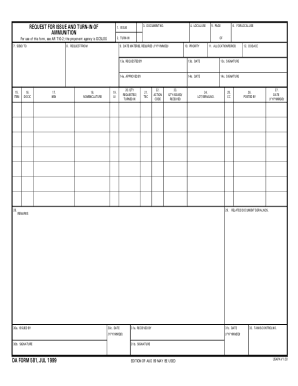
The DA 581 form, known as the request for issue and turn-in of ammunition, is essential for managing ammunition transactions within the Department of Defense. This guide provides clear and concise instructions on how to accurately complete the DA 581 online, ensuring a smooth submission process.
Follow the steps to fill out the DA 581 form online
- Click the ‘Get Form’ button to access the DA 581 form online.
- Begin by filling out section 1, 'Issue,' where you will specify the type of ammunition requested.
- In section 2, 'Turn-In,' indicate any ammunition you are returning.
- Complete section 3, 'Document No.,' with a unique identification for this transaction.
- Fill in section 4 for local use, noting any specifics as needed.
- In section 9, 'Date materiel required (YYYYMMDD),' enter the requested date for ammunition.
- Complete the priority in section 10, ensuring an accurate representation of urgency.
- Section 13, 'Requested by,' should include the name and contact information of the requester.
- Sign and date the form in sections 13a, 13b, and 13c once all other sections are completed.
- Review all information for accuracy and completeness before submitting.
- Finally, save your changes, download the form, print it, or share it as necessary.
Complete your DA 581 form online today for efficient ammunition management.
DA 581 functions as a crucial tool for maintaining accountability of Army property. It plays an essential role in the reporting and tracking process among military units, especially during inspections or audits. If you need to manage, track, or report Army property efficiently, using DA 581 is imperative. For further assistance with this form, consider exploring resources available on USLegalForms to streamline your experience.