Loading
Get Ct-5361t
How it works
-

Open form follow the instructions
-

Easily sign the form with your finger
-

Send filled & signed form or save
How to fill out the CT-5361T online
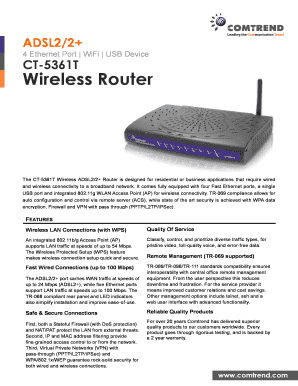
The CT-5361T is a wireless ADSL2/2+ router designed for both residential and business applications, offering reliable wired and wireless connectivity. This guide will provide you with clear instructions on how to complete the CT-5361T form online efficiently.
Follow the steps to successfully fill out the CT-5361T form online.
- Click the ‘Get Form’ button to access the CT-5361T form and open it in your document editor.
- Begin with section one, entering your personal or business information as required. Ensure that all details are accurate to avoid processing delays.
- In section two, specify the type of connection you are setting up. Indicate whether it is for a residential or business application to ensure proper configuration.
- Continue to section three, where you will provide information on the security settings for your network. Make sure to select appropriate encryption protocols for data protection.
- In section four, outline the network management preferences, including options for remote management and troubleshooting protocols.
- Review all entered information for accuracy. Make any necessary corrections before finalizing the form.
- Once you have confirmed that all information is correct, save your changes. You can then download, print, or share the completed CT-5361T form as needed.
Complete your documents online for faster processing and convenience.
Related links form
Industry-leading security and compliance
US Legal Forms protects your data by complying with industry-specific security standards.
-
In businnes since 199725+ years providing professional legal documents.
-
Accredited businessGuarantees that a business meets BBB accreditation standards in the US and Canada.
-
Secured by BraintreeValidated Level 1 PCI DSS compliant payment gateway that accepts most major credit and debit card brands from across the globe.