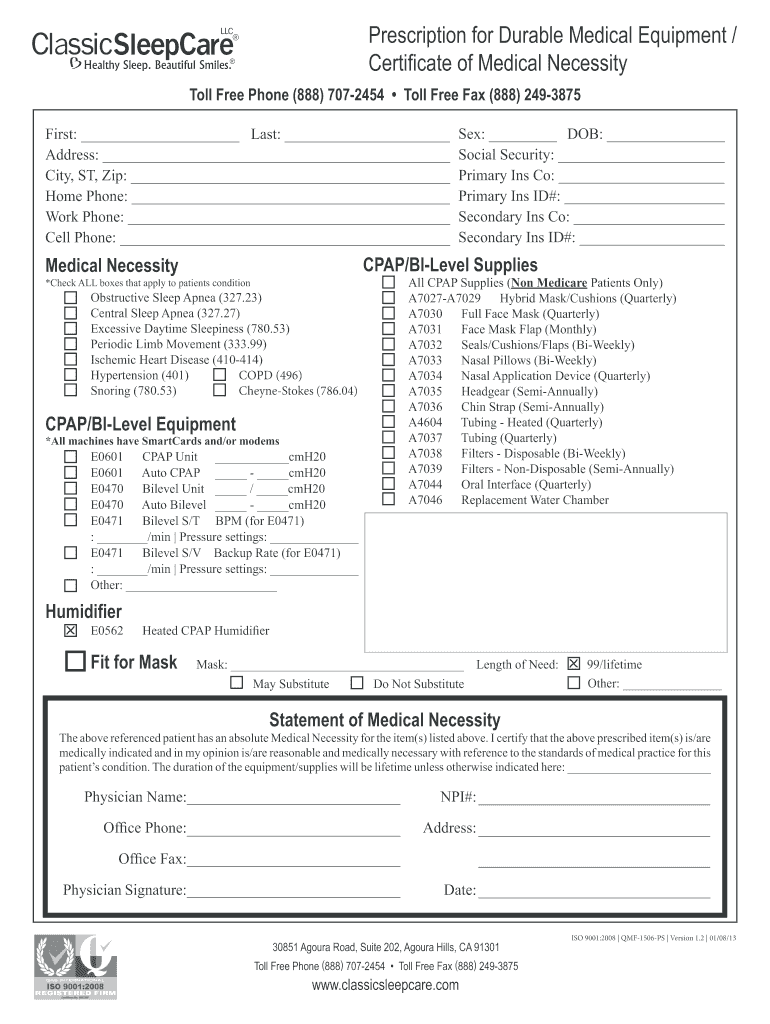
Prescription for Durable Medical Equipment / Certificate of Medical Necessity Toll Free Phone (888) 707-2454 Toll Free Fax (888) 249-3875 First: Last: Address: City, ST, Zip: Home Phone: Work Phone:.
Loading

Open form follow the instructions

Easily sign the form with your finger

Send filled & signed form or save
How to fill out the Classic Sleep Care online
Filling out the Classic Sleep Care document is an important step in securing necessary medical equipment and supplies for sleep care needs. This guide will provide clear, step-by-step instructions to ensure a smooth and successful completion of the form online.
Follow the steps to complete the Classic Sleep Care form effectively.
- Begin by clicking the ‘Get Form’ button to access the Classic Sleep Care document and open it for editing.
- In the personal information section, enter the first name, last name, address, city, state, zip code, home phone, work phone, and cell phone. Ensure all details are accurate for proper identification.
- Fill in gender and date of birth in the appropriate fields. Then, provide the social security number along with the details for the primary and secondary insurance companies, including their respective ID numbers.
- In the section regarding CPAP/BI-Level supplies, check all applicable boxes that pertain to the patient's medical condition. Review thoroughly to ensure all necessary conditions are identified.
- Complete the CPAP/BI-Level equipment section by providing details for the types of units and their pressure settings, ensuring to fill in any specific measurements or related information.
- If applicable, fill out the section for all CPAP supplies, selecting the necessary items for non-Medicare patients. Indicate frequency of usage as required.
- For the mask fit section, provide details regarding the mask type and indicate whether substitution is acceptable. Clearly state the duration of need for the equipment.
- In the statement of medical necessity, ensure it is signed by the physician, including their name, NPI number, office phone, address, and the date. This section is vital for the certification of necessity.
- Once all fields are completed accurately, save your changes, and you can choose to download, print, or share the completed form.
Complete your Classic Sleep Care document online today for efficient access to your needed medical supplies.
Experience a faster way to fill out and sign forms on the web. Access the most extensive library of templates available.
Related content
%. General and administrative expenses. 31,508. 8.3. %. 12,229. 5.2. %. 19,279. 157.6. %...
The Sleep Center is a state-of-the-art facility dedicated to the diagnosis of sleep...
HOME SLEEP TESTING (HST) SERVICES CleveMed Ez Sleep, LLC HST America (a DBA of Classic...
Use professional pre-built templates to fill in and sign documents online faster. Get access to thousands of forms.
If you believe that this page should be taken down, please follow our DMCA take down process here.