Loading
Get Online Binder Forms
How it works
-

Open form follow the instructions
-

Easily sign the form with your finger
-

Send filled & signed form or save
How to fill out the Online Binder Forms online
Filling out the Online Binder Forms is an essential step for individuals involved in real estate transactions. This guide provides clear, step-by-step instructions to help you successfully complete each section of the form, ensuring that all necessary information is accurately recorded.
Follow the steps to complete the Online Binder Forms effectively.
- Click the ‘Get Form’ button to obtain the form and open it in the appropriate editor.
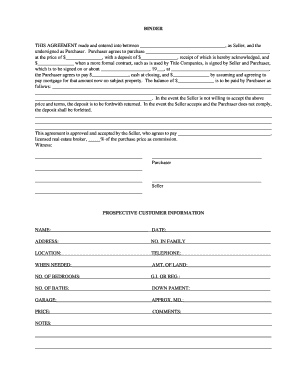
- In the first section, enter the names of the Seller and the Purchaser in the designated fields to identify the parties involved in the agreement.
- Fill in the property details that the Purchaser agrees to purchase, including the purchase price and the deposit amount, as outlined in the form.
- Specify the date when a more formal contract will be signed and the location where the signing will take place.
- Complete the payment details, including how the balance will be paid and any additional remarks regarding the payment structure.
- Detail the prospective customer information, including the name, address, number of family members, telephone contact, and other relevant details as requested.
- Fill in additional sections regarding property preferences, such as the number of bedrooms, baths, garage needs, and comments for special requests.
- Once all sections have been filled out, review the information for accuracy.
- Save your changes, and choose whether to download, print, or share the completed form as needed.
Complete your Online Binder Forms today to facilitate your real estate transactions smoothly.
Use heavy paper or cardstock. Print or write your spine label on paper or cardstock that is sturdy. ... Measure and cut your label size. Measure the exact length and width of the spine of your binder, but just the space within the plastic covering. ... Design a label by hand or on the computer.