Loading
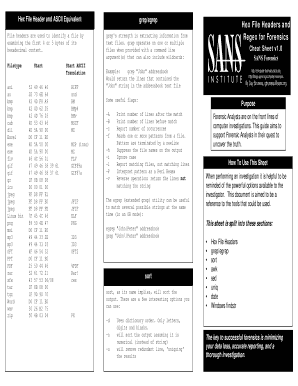
Get Hex File Headers And Regex For Forensics - Cheat - Sans - Digital-forensics Sans
How it works
-

Open form follow the instructions
-

Easily sign the form with your finger
-

Send filled & signed form or save
How to use or fill out the Hex File Headers And Regex For Forensics - Cheat - SANS - Digital-forensics Sans online
This guide provides you with a step-by-step approach to filling out the Hex File Headers And Regex For Forensics cheat sheet. Whether you are a beginner or an experienced user, this resource will help you effectively utilize the content and apply it to your forensic investigations.
Follow the steps to successfully complete the form.
- Click ‘Get Form’ button to access the Hex File Headers And Regex For Forensics document and open it in your preferred editor.
- Begin by reviewing the title of the document to ensure it matches your needs regarding hex file headers and regex for forensics.
- Familiarize yourself with the sections of the document, which include hex file headers, grep/egrep, sort, awk, sed, uniq, date, and Windows findstr. Each section is designed to aid forensic analysts in their investigations.
- Start filling out any required fields or taking notes based on the examples and explanations provided in each section. For instance, examine the hex file headers and understand which hexadecimal values correspond to different file types.
- Utilize the command examples, such as using grep for extracting specific information or awk for parsing data, to practice how to employ these tools effectively.
- As you fill out the form, ensure that you save your changes frequently to avoid data loss. It's advisable to keep backup copies.
- Once you have completed your entries or annotations, choose to download, print, or share the document as needed to facilitate your forensic analysis.
Explore and complete your documents online to enhance your forensic investigations.
A forensic investigator can use a hex editor to find the entire file or find fragments of the file. The process of piecing together a file in this way is called file carving. You can search in the unallocated space of a drive, look for the file header (file signature) and the file footer.
Industry-leading security and compliance
US Legal Forms protects your data by complying with industry-specific security standards.
-
In businnes since 199725+ years providing professional legal documents.
-
Accredited businessGuarantees that a business meets BBB accreditation standards in the US and Canada.
-
Secured by BraintreeValidated Level 1 PCI DSS compliant payment gateway that accepts most major credit and debit card brands from across the globe.