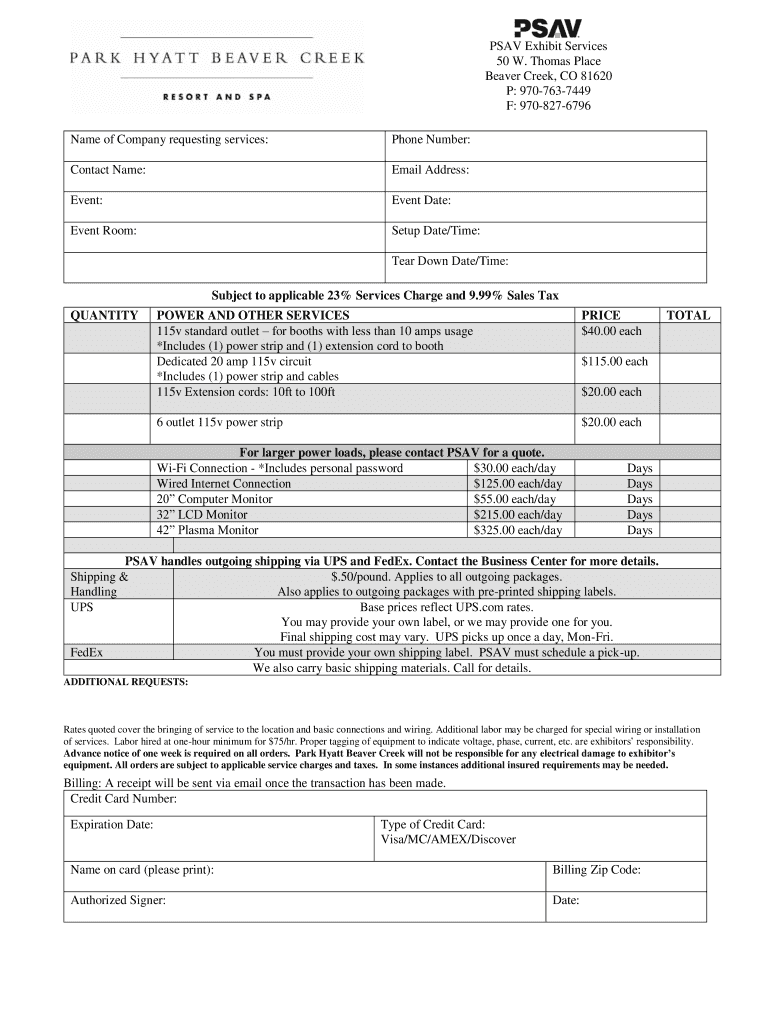
PSAV Exhibit Services 50 W. Thomas Place Beaver Creek, CO 81620 P: 9707637449 F: 9708276796 Name of Company requesting services:Phone Number:Contact Name:Email Address:Event:Event Date:Event Room:Setup.
Loading

Open form follow the instructions

Easily sign the form with your finger

Send filled & signed form or save
How to fill out the Glynne Diggle - Customer Service Sales Representative form online
Filling out the Glynne Diggle - Customer Service Sales Representative form online is essential for efficiently requesting and managing event services. This guide will help you through each section of the form, ensuring that you properly provide all necessary information.
Follow the steps to complete the form accurately.
- Click 'Get Form' button to obtain the form and open it in the editor.
- In the first section, enter the name of the company requesting services. Ensure that the name is accurate and clearly reflects the entity requesting the services.
- Provide a contact phone number where representatives can easily reach you during the event planning process.
- Fill in the contact name, ensuring that this is a person who can answer any questions regarding the request.
- Enter the email address for correspondence; this is where the receipt will be sent after the transaction is completed.
- Specify the event name, ensuring it is descriptive enough for easy identification.
- Indicate the event date, making sure to double-check its accuracy.
- Provide the event room name or number to facilitate organization and service delivery.
- Enter the setup date and time, ensuring this fits with the logistics of your event.
- Input the tear-down date and time, which should also align with the planned schedule post-event.
- Review the services section and specify quantities needed for power and other services, ensuring you understand the requirements for each service.
- Calculate the total services charge based on the quantity and services selected.
- If you require shipping or handling services, provide any additional requests and understand the associated charges.
- When billing, enter your credit card details, ensuring to include the card number, expiration date, type, and billing zip code.
- Print your name and provide the authorized signer’s information, including the date of signing.
- Finally, review all entries for accuracy, then save changes, download, print, or share the form as needed.
Complete your documents online today to streamline your event planning process.
Experience a faster way to fill out and sign forms on the web. Access the most extensive library of templates available.
Related content
''To the honorable Senate and House of Rep- resentatives of the United States in. Congress...
by H Newman · 2017 · Cited by 4 — Shortly before Dryden may have provided editorial...
Use professional pre-built templates to fill in and sign documents online faster. Get access to thousands of forms.
If you believe that this page should be taken down, please follow our DMCA take down process here.