Loading
Get Or 521.05 2016-2026
How it works
-

Open form follow the instructions
-

Easily sign the form with your finger
-

Send filled & signed form or save
How to fill out the OR 521.05 online
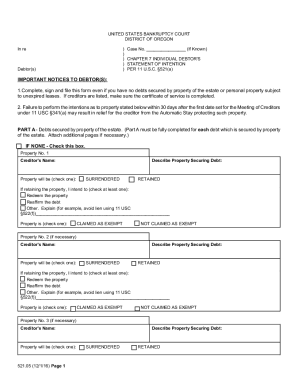
Filling out the OR 521.05 form, known as the Individual Debtor's Statement of Intention, is an essential step in the bankruptcy process. This guide provides a clear, step-by-step approach to ensure you complete the form accurately and effectively.
Follow the steps to complete the OR 521.05 form online.
- Click the ‘Get Form’ button to obtain the OR 521.05 form and open it in your preferred editor.
- Begin with Part A, which addresses debts secured by property of the estate. If you have no such debts, check the box indicating 'IF NONE.' For each secured debt, provide the creditor's name and a description of the property securing the debt.
- For each property listed in Part A, indicate whether the property is claimed as exempt or not by selecting the appropriate checkbox.
- Continue to Part B, which pertains to personal property subject to unexpired leases. Complete each column for every lease you have, providing the lessor's name and a description of the leased property.
- After completing the form, ensure to sign and date it in the designated areas. If applicable, also provide the signature of any joint debtor or attorney.
- Finally, review the completed form for accuracy. You can then save your changes, download the form, print it, or share it as needed.
Complete your OR 521.05 form online to ensure your bankruptcy process proceeds smoothly.