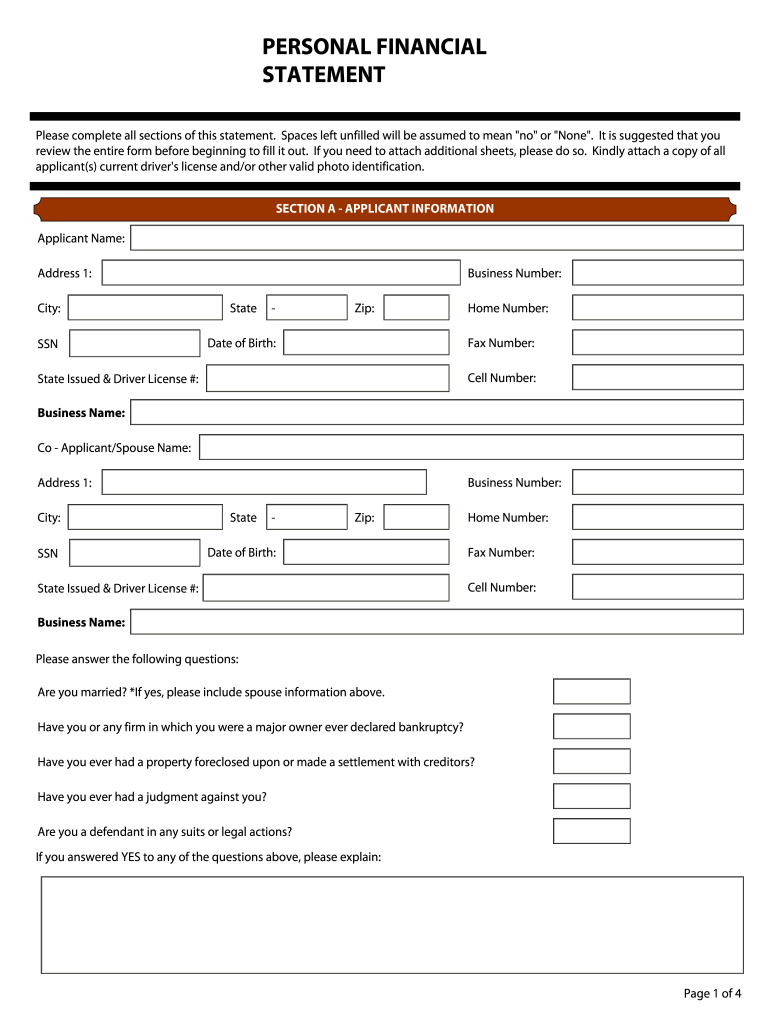
PERSONAL FINANCIAL STATEMENT Please complete all sections of this statement. Spaces left unfilled will be assumed to mean "no" or "None". It is suggested that you review the entire.
Loading

Open form follow the instructions

Easily sign the form with your finger

Send filled & signed form or save
How to fill out the Bloom Commercial Real Estate Personal Financial Statement online
Completing the Bloom Commercial Real Estate Personal Financial Statement is an essential step for individuals seeking financial accommodations. This guide provides clear and concise instructions for filling out the form online, ensuring that you provide all necessary information accurately.
Follow the steps to successfully complete your personal financial statement.
- Click ‘Get Form’ button to obtain the form and open it in the editor.
- Begin with Section A, where you will input your applicant information. Fill in your name, business number, address, date of birth, and contact information, including home, fax, and cell numbers. Ensure that the information is accurate.
- In this section, also include details for your co-applicant or spouse, if applicable. Fill in their information in the same format as yours, and answer the questions asking about marital status and any past financial issues frankly.
- Move on to Section B, where you will complete the balance sheet. List your assets, including cash, savings accounts, retirement accounts, and real estate. Ensure to enter the corresponding amounts for both assets and liabilities accurately.
- Detail sources of income and contingent liabilities in Section 1. Provide information regarding salary, investment income, real estate income, and any other income sources, while also noting your contingent liabilities.
- In Section 2, document any notes payable to banks or others. Include details such as the noteholder's name and address, payment amounts, original and current balances, and how they are secured.
- Fill Section 3 regarding stocks and bonds, listing the securities along with their number of shares, cost, and current market value.
- In Section 4, list real estate owned. Provide details for each property, including type, address, purchase date, original and present market value, and mortgage details.
- Continue with Section 5, describing other personal property and assets, including any liens against them.
- Section 6 is where you will report any unpaid taxes, detailing amounts owed and to whom they are payable.
- In Section 7, describe any other liabilities you may have.
- Finally, complete Section 8 by providing life insurance details, including the face amount and cash surrender value.
- Review all information for accuracy and completeness. At the end of the document, ensure signatures are provided where indicated. Options are available to save changes, download, print, or share the completed form.
Complete your financial statement online now to ensure you meet your financial requirements.
Experience a faster way to fill out and sign forms on the web. Access the most extensive library of templates available.
Related content
Management's Discussion and Analysis of Financial Condition ... — Our solution, the...
Resource Capital is a diversified real estate finance company that focuses on...
Bloomberg L.P. is a privately held financial, software, data, and media company...
Get answers to your most pressing questions about US Legal Forms API.
What is the operating statement for commercial real estate?
Operating Statements, also called “profit & loss” or “P&L” statements, are one of the most important documents in investment real estate. This document provides a clear view into the financial health of a property and should be accurately maintained by all real estate investors.
What is P&L in commercial real estate?
A profit and loss statement for your rental property, as the name suggests, is used by landlords and property managers to track income and expenses and report on the profit (or losses) of their rentals. It reports the current financial state of the business over a specified period of time.
What is the financial statement of a real estate company?
Types of Real Estate Financial Statements Balance Sheet (Statement of Financial Position) – The balance sheet offers a snapshot of a property's assets, liabilities, and equity at a specific point in time. It shows the property's financial position and helps investors assess its solvency and liquidity.
What is the income statement for commercial real estate?
Real estate income statement is also known as a P&L and lists the income, expenses, and net operating income of a property. Net operating income (NOI) is a key metric reported on the income statement and is used in other real estate financial formulas such as capitalization rate (cap rate) and DSCR.
What is a commercial income statement?
An income statement (also known as a profit and loss or P&L statement) documents a business' revenue and expenses. Along with a balance sheet, cash flow statement and statement of owner's equity, it's one of the four major financial statements that a business uses to track overall financial health.
What is the name for an income and expense statement for a commercial property?
Property Management Income and Expenses: Your P&L Statement A profit and loss statement helps you enumerate money coming in and money going out, ensuring your net income—or your income after expenses are subtracted—is positive, rather than negative. A P&L statement is not quite as detailed as a chart of accounts.
Use professional pre-built templates to fill in and sign documents online faster. Get access to thousands of forms.
If you believe that this page should be taken down, please follow our DMCA take down process here.