Loading
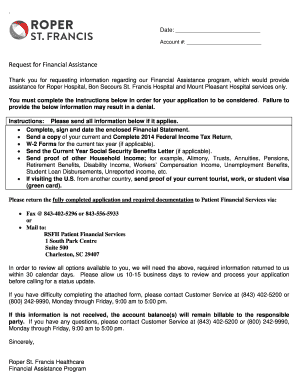
Get Roper Financial Assistance
How it works
-

Open form follow the instructions
-

Easily sign the form with your finger
-

Send filled & signed form or save
How to fill out the Roper Financial Assistance online
Navigating financial assistance forms can feel overwhelming, but with clear guidance, you can successfully complete the Roper Financial Assistance application online. This guide provides detailed, step-by-step instructions to help ensure your application is completed accurately.
Follow the steps to fill out your Roper Financial Assistance application.
- Click ‘Get Form’ button to obtain the online application form and access it for completion.
- Begin with the Patient Information section. Fill in your name, street address, city, state, and zip code. If applicable, include your partner's name and check the appropriate marital status (Married, Single, Separated, Divorced, or Widow/Widower).
- Provide your contact information, including your home telephone number, social security number, and date of birth. If applicable, also provide your partner's social security number and date of birth.
- Indicate whether you are a U.S. citizen or legally visiting the U.S. If you select 'No', you are not eligible for financial assistance.
- In the Guarantor/Responsible Party Income Information section, provide the name of your employer, employer phone number, and address, along with your social security number and date of hire.
- Fill out your total household gross income, specifying the frequency (weekly, bi-weekly, monthly, or yearly). Include information for other household income sources such as part-time jobs or benefits.
- List all assets, liabilities, and monthly expenses. Provide details such as market value and monthly payment amounts for each asset, and creditor names and payment amounts for each expense.
- Review and confirm the information you provided. Ensure that all required fields are completed and that you have marked 'N/A' for any non-applicable questions.
- Sign and date the application to attest that the information is true and correct to the best of your knowledge.
- After completing the form, save your changes. You may also choose to download, print, or share the completed application as needed.
Complete your Roper Financial Assistance application online today to take the first step toward receiving the support you need.
ing to the Georgia Fair Business Practices Act [O.C.G.A. Section 10-1-393(b)(14)], a hospital or long-term care facility has six business days after you have been released from its care as an inpatient to provide you an itemized statement of all charges for which you are being billed.