Loading
Get Canada Form 0976a - Ontario 2019-2026
How it works
-

Open form follow the instructions
-

Easily sign the form with your finger
-

Send filled & signed form or save
How to fill out the Canada Form 0976A - Ontario online
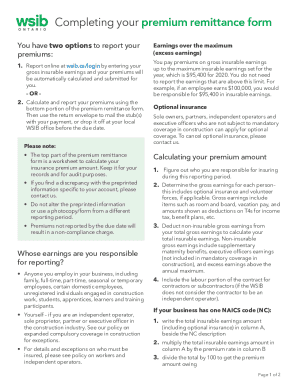
The Canada Form 0976A - Ontario is essential for reporting your premiums to the Workplace Safety and Insurance Board. This guide will provide you with step-by-step instructions to complete the form effectively online, ensuring you understand each component required for accurate reporting.
Follow the steps to successfully complete your form online.
- Click ‘Get Form’ button to obtain the form and open it in the editor.
- Begin by determining the gross earnings for each person you are responsible for reporting. This includes all employed individuals regardless of their work schedule or employment status.
- Carefully deduct any non-insurable gross earnings from your total gross earnings to arrive at your total insurable earnings.
- If applicable, include the labour portion of the contract for contractors or subcontractors when calculating premiums.
- For businesses operating under one NAICS code, write the total insurable earnings in column A, next to the NAICS description, and multiply it by the relevant premium rate.
- For those with multiple NAICS codes, separate the earnings into direct and common categories and assign appropriate amounts, following the outlined calculations to determine premiums due for each category.
- Ensure that each column is filled out correctly. If there are zero earnings, write '0' in the insurable earnings field for that NAICS.
- After completing the form, save your changes. You can download, print, or share the form to ensure information is submitted correctly.
Start completing your Canada Form 0976A - Ontario online today for a smoother reporting experience.