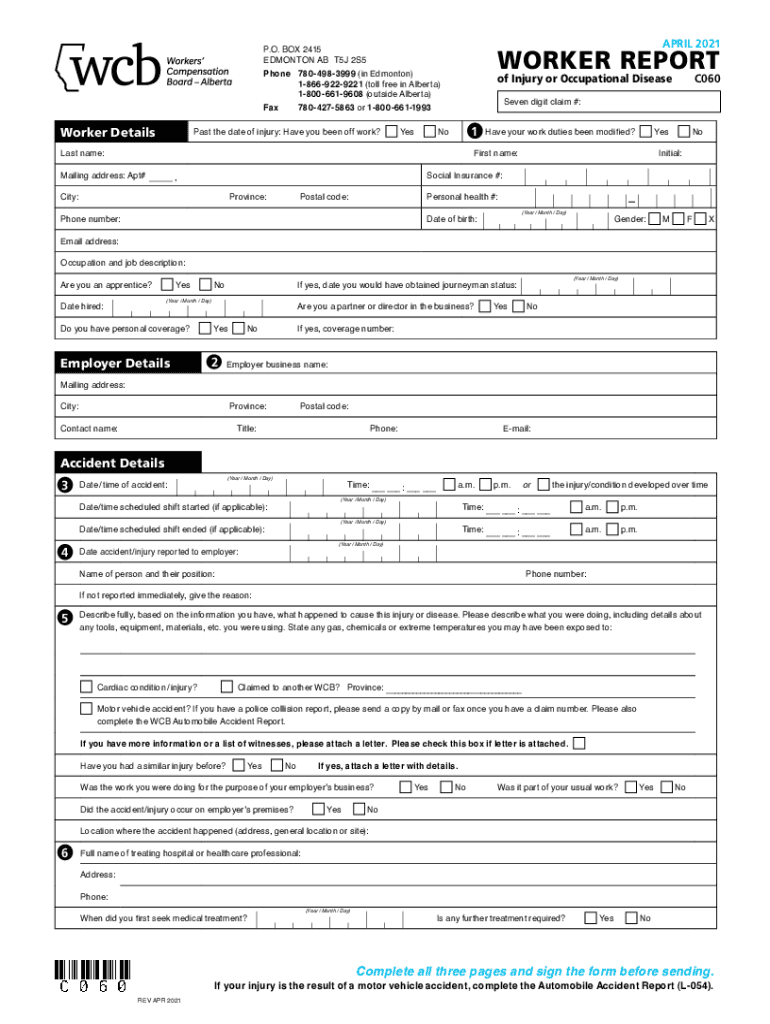
P.O. BOX 2415 EDMONTON AB T5J 2S5WORKER REPORTPhone 7804983999 (in Edmonton)18669229221 (toll free in Alberta)18006619608 (outside Alberta)of Injury or Occupational DiseasePast the date of injury:.
Loading

Open form follow the instructions

Easily sign the form with your finger

Send filled & signed form or save
How to fill out the Canada C060 online
The Canada C060 form is an essential document for reporting injuries or occupational diseases in Alberta. This guide provides clear and detailed steps to help you fill out the form accurately and efficiently online.
Follow the steps to complete the Canada C060 form online
- Click ‘Get Form’ button to obtain the form and open it in a suitable editor.
- Enter your personal information in the Worker Details section. This includes your last name, first name, mailing address with apartment number if applicable, seven-digit claim number, social insurance number, personal health number, phone number, date of birth, gender, email address, occupation, and job description. Ensure all fields are filled out accurately.
- In the Employer Details section, list your employer's business name, mailing address, city, province, postal code, and the contact name and title of the representative at your workplace. Include their contact phone and email.
- Provide the Accident Details, including the date and time of the accident, the scheduled shift start and end times, and the nature of the injury or disease. Remember to disclose if the injury was reported, and include contact information for who you reported it to.
- Describe the incident in detail in the section provided. Include information regarding tools, equipment, materials, and any hazardous exposures.
- Complete the Injury Details section stating the specific body part injured and the type of injury. Indicate if you expect further treatment is required.
- Fill out the Return to Work Details to provide information about your employer's payment during your absence, your current work status, and anticipated return dates.
- In the Employment Type Details section, select your type of employment and indicate any previous work status as required.
- Document your earning details prior to the accident, including the rate of pay and additional taxable benefits.
- In the Hours of Work Details, state the number of hours you work weekly and describe your work schedule.
- Finally, review your entries, fill in your name, social insurance number, and date of birth at the top of each page, and sign the Declaration and Consent section. Make sure to complete all pages before submitting your form.
- Once you have filled out the entire form, you can save changes, download, print, or share the form as needed.
Begin completing your documents online today to ensure timely submission.
Experience a faster way to fill out and sign forms on the web. Access the most extensive library of templates available.
Related content
Nov 17, 2017 - This notice amends all C060 templates (i.e., OpSpec/MSpec/LOA ... II or CAT...
C060. World Urban Patterns (3 s.h.) FS SS Core: IS. A survey of the major urban regions...
Use professional pre-built templates to fill in and sign documents online faster. Get access to thousands of forms.
If you believe that this page should be taken down, please follow our DMCA take down process here.