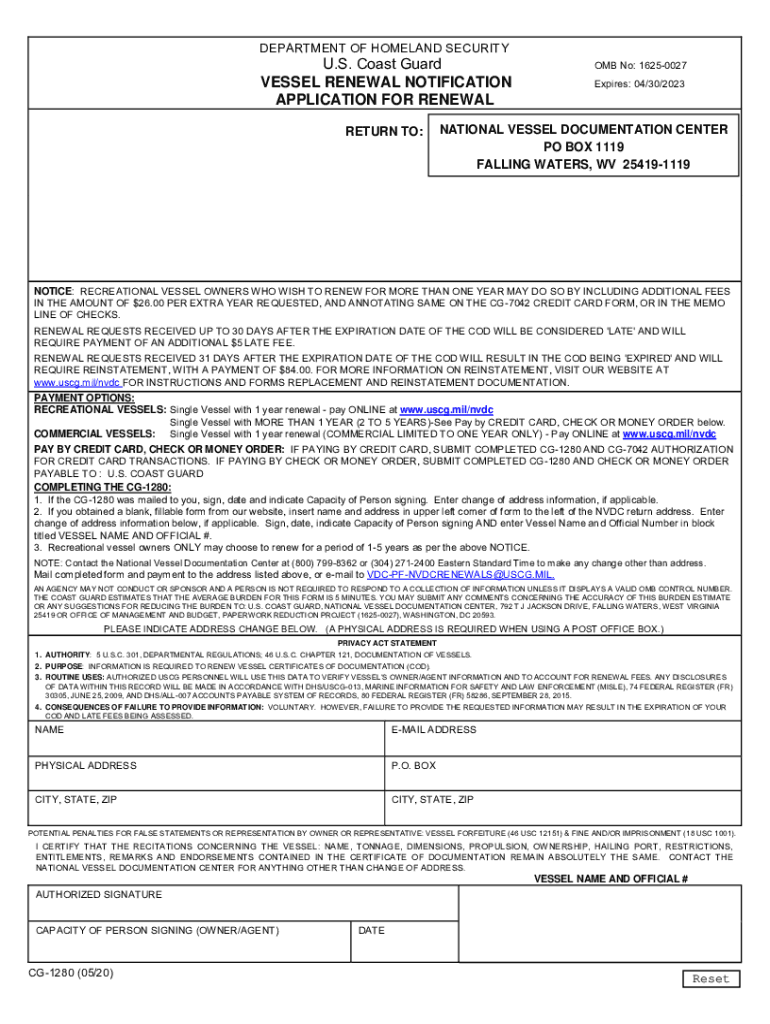
If the CG-1280 was mailed to you sign date and indicate Capacity of Person signing. Enter change of address information if applicable. 2. If you obtained a blank fillable form from our website insert name and address in upper left corner of form to the left of the NVDC return address. DEPARTMENT OF HOMELAND SECURITY U*S* Coast Guard VESSEL RENEWAL NOTIFICATION APPLICATION FOR RENEWAL RETURN TO OMB No 1625-0027 Form Expires 07/31/2019 NATIONAL VESSEL DOCUMENTATION CENTER PO BOX 1119 FALLING WATERS WV 25419-1119 NOTICE A FEE OF 26 PER VESSEL IS REQUIRED TO RENEW CURRENT CERTIFICATES OF DOCUMENTATION CODS. RENEWAL REQUESTS RECEIVED UP TO 30 DAYS AFTER THE EXPIRATION DATE OF THE COD WILL BE CONSIDERED LATE AND WILL REQUIRE PAYMENT OF A 5 LATE FEE TOTAL PAYMENT OF 31. 00. REQUIRE REINSTATEMENT WITH A PAYMENT OF 84. 00. FOR MORE INFORMATION ON REINSTATEMENT VISIT OUR WEBSITE AT www. uscg. mil/nvdc INSTRUCTIONS AND FORMS REPLACEMENT AND REINSTATEMENT DOCUMENTATION* PAYMENT OPTIONS 1. PAY ONLI....
Loading

Open form follow the instructions

Easily sign the form with your finger

Send filled & signed form or save
How to fill out the USCG CG-1280 online
The USCG CG-1280 form is essential for vessel renewal notifications with the U.S. Coast Guard. This guide provides clear instructions to help users complete the form accurately and easily online.
Follow the steps to successfully complete the USCG CG-1280 online.
- Press the ‘Get Form’ button to access the form and begin filling it out in the online editor.
- If you received the CG-1280 by mail, sign and date the form. Indicate your capacity as the person signing and enter any change of address information if applicable.
- If obtaining a blank, fillable version from an online source, enter your name and address in the upper left corner of the form, next to the NVDC return address.
- Ensure you enter any change of address information below the name and address section if relevant.
- Sign, date, and indicate your capacity as the person signing. Additionally, enter the vessel name and official number in the designated section titled 'VESSEL NAME AND OFFICIAL #'.
- For recreational vessel owners, select the renewal period of 1 to 5 years as indicated on the form.
- Once all fields are complete, review the form for accuracy. You can save your changes, download, print, or share the form as needed.
Complete your USCG CG-1280 form online today for a smooth vessel renewal process.
Experience a faster way to fill out and sign forms on the web. Access the most extensive library of templates available.
Related content
CUSTOMERS WHO PAY ONLINE ARE NOT REQUIRED TO SUBMIT A SEPARATE CG-1280. 2. PAY BY CREDIT...
Use professional pre-built templates to fill in and sign documents online faster. Get access to thousands of forms.
If you believe that this page should be taken down, please follow our DMCA take down process here.