Loading
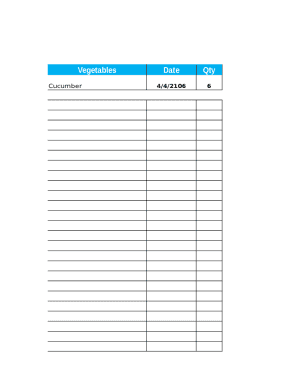
Get Home Food Inventory
How it works
-

Open form follow the instructions
-

Easily sign the form with your finger
-

Send filled & signed form or save
How to fill out the Home Food Inventory online
The Home Food Inventory is a crucial document for tracking your food supplies. This guide provides clear and structured instructions to help you complete the form effectively and efficiently.
Follow the steps to accurately complete the Home Food Inventory.
- Press the ‘Get Form’ button to acquire the Home Food Inventory form and open it for editing.
- Begin filling out the inventory by entering the relevant data for each food item. For example, you will need to specify the type of food, such as 'Cucumber' under the Vegetables section.
- Next, input the price of each item. For instance, if cucumbers are priced at $1.99, enter this amount in the price field next to the respective food item.
- After filling out all sections, review the information entered to ensure accuracy and completeness.
Start filling out your Home Food Inventory online today to keep track of your food supplies efficiently.
1Create a column for inventory items. ... 2Create a column for descriptions. ... 3Assign a price to each item. ... 4Create a column for remaining stock. ... 5Select a time frame.