Loading
Get Temperature Converter
How it works
-

Open form follow the instructions
-

Easily sign the form with your finger
-

Send filled & signed form or save
How to fill out the Temperature Converter online
The Temperature Converter is a simple online tool designed to help users convert temperatures between Celsius and Fahrenheit. This guide provides clear instructions for accurately completing the converter form for your temperature conversion needs.
Follow the steps to fill out the Temperature Converter form effectively.
- Click the ‘Get Form’ button to access the Temperature Converter form and open it in your preferred online editor.
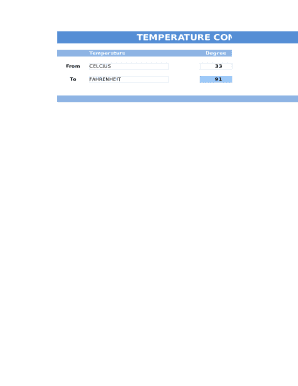
- In the 'From' section, select the temperature scale you wish to convert from, either 'Celsius' or 'Fahrenheit'. This determines the temperature you will input.
- Enter the numeric temperature value you wish to convert in the 'Degree' field. Ensure you input a valid number to receive an accurate conversion.
- Next, in the 'To' section, choose the temperature scale you want your value converted to, selecting either 'Celsius' or 'Fahrenheit'.
- Upon filling in the necessary fields, review all entered information for accuracy. This ensures the conversion reflects the correct value.
- If the form provides a 'Convert' button, click it to initiate the conversion process and display the results accordingly.
- Finally, you can save your results, download, print, or share the form as needed to keep a record of your conversions.
Get started with converting temperatures online by filling out the Temperature Converter form today!
Take the °F temperature and subtract 32. Multiply this number by 5. Divide this number by 9 to obtain your answer in °C.