Loading
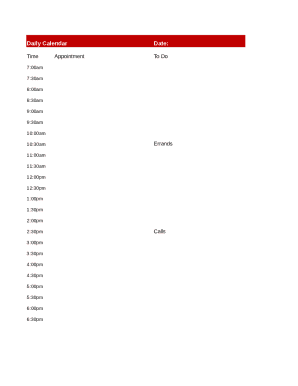
Get Printable Blank Daily Calendar
How it works
-

Open form follow the instructions
-

Easily sign the form with your finger
-

Send filled & signed form or save
How to use or fill out the Printable Blank Daily Calendar online
Filling out the Printable Blank Daily Calendar online can help users organize their day effectively by outlining tasks and appointments. This guide will provide step-by-step instructions to ensure a seamless experience when completing the form.
Follow the steps to fill out your daily calendar efficiently.
- Press the ‘Get Form’ button to obtain the Printable Blank Daily Calendar and open it in the suitable editor.
- Begin by entering the date at the top of the calendar. Make sure to use the correct format to ensure clarity throughout the day.
- In the 'Time' section, fill in each time slot according to your schedule, starting from 7:00 am to 6:30 pm. Be specific about the time you wish to allocate for tasks.
- In the 'To Do' section, list out the tasks that you aim to accomplish throughout the day. Be detailed yet concise for better tracking.
- For the 'Appointment' field, jot down any appointments scheduled for the day, including the time and purpose of each meeting or obligation.
- In the 'Errands' section, detail any errands or personal tasks you need to complete during the day. Use this space to prioritize your responsibilities.
- In the 'Calls' section, note down any important calls you need to make, including the time they should take place and the topics to be discussed.
- Once all sections are filled, review your entries for accuracy and completeness.
- Finally, save your changes, download, print, or share the completed calendar as needed.
Start organizing your day by filling out the Printable Blank Daily Calendar online.
Tip: If you're already in Word for the web, see all the calendar templates by going to File > New, and then below the template images click More on Office.com. You'll be on the Templates for Word page. In the list of categories, click Calendars.