Loading
Get Sale Leads Tracker
How it works
-

Open form follow the instructions
-

Easily sign the form with your finger
-

Send filled & signed form or save
How to fill out the Sale Leads Tracker online
This guide will provide you with a clear and comprehensive overview of how to effectively fill out the Sale Leads Tracker online. Whether you are new to the process or looking for a refresher, you will find helpful instructions for each section of the form.
Follow the steps to complete the Sale Leads Tracker with ease.
- Click ‘Get Form’ button to obtain the Sale Leads Tracker and open it in an appropriate editor.
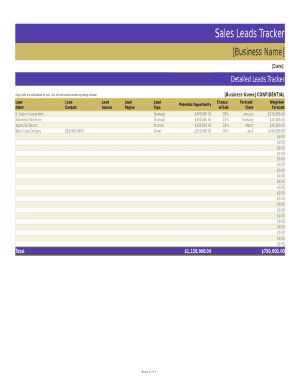
- Begin by entering your business name and the date at the top of the form. This ensures that all entries are appropriately logged under the right context.
- In the 'Lead Name' section, list the names of your potential leads as you gather them. Ensure that each lead is distinctly captured to facilitate tracking.
- Fill in the 'Lead Contact' field with the relevant contact number for each lead. This allows for quick reference when you need to reach out.
- Indicate the 'Lead Source' by specifying where you obtained each lead, whether through referrals, networks, or marketing efforts.
- Define the 'Lead Region' by indicating the geographical area associated with each lead, helping you categorize potential opportunities effectively.
- Select the 'Lead Type.' Choose between strategic and tactical options to clarify the approach you plan to take for each lead.
- In the forecasting section, indicate the potential opportunities, chance of sale, and the forecast close values for each lead. This information will aid in calculating weighted forecasts.
- Continue tracking monthly forecasts in the designated areas. Keep updating this throughout the year as new information becomes available.
- Once all fields are filled, ensure your form is correctly completed. You can then save your changes, download, print, or share the completed form as required.
Start filling out the Sale Leads Tracker online to streamline your sales process and enhance lead management.
Number of Leads Created. Number of Calls Made. Number of Emails Sent. Number of Follow Ups. Number of Social Media Connections. Number of Logged Visits. Number of Conversations. Number of Discovery Call Summaries.