Loading
Get Employee Absence Tracking
How it works
-

Open form follow the instructions
-

Easily sign the form with your finger
-

Send filled & signed form or save
How to fill out the Employee Absence Tracking online
This guide provides you with detailed instructions on how to complete the Employee Absence Tracking form efficiently and accurately. By following these steps, you will ensure that your absence records are maintained properly, fulfilling company policies and requirements.
Follow the steps to accurately fill out the Employee Absence Tracking form online.
- Press the ‘Get Form’ button to access the form and open it in your preferred editor.
- Begin with entering your name in the designated field at the top of the form. This ensures that your absence tracking pertains directly to you.
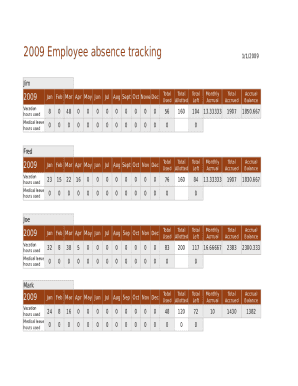
- For each month, find the sections for vacation hours and medical leave. Specify the number of vacation hours you have used and the medical leave hours used as applicable for each month.
- Once you have entered your absence data for each month, review the totals for both vacation and medical leave at the end of the section to verify accuracy.
- Ensure that the monthly accruals for vacation and medical leave are noted correctly based on your company's policy.
- Check that the total hours allotted, used, and remaining are accurately calculated according to your entries. This helps in maintaining a clear record.
- After reviewing all entries for accuracy, you can save your changes, or opt to download, print, or share the completed form as necessary.
Complete your documents online to ensure effective tracking of your absences.
Microsoft Office should have at least one employee absence template you can use to calculate sick leave. To find it, click the "File" menu; select "New" and then type "employee absence" in the Search field. The template includes a worksheet for every month and a worksheet for employee names.