Loading
Get Gsa Form 1748 1993-2026
How it works
-

Open form follow the instructions
-

Easily sign the form with your finger
-

Send filled & signed form or save
How to fill out the GSA Form 1748 online
The GSA Form 1748 is essential for documenting quality assurance activities within various transactions. This guide provides a structured approach to completing the form online, ensuring accuracy and compliance with GSA standards.
Follow the steps to successfully complete the GSA Form 1748 online.
- Click the ‘Get Form’ button to access the form and open it in your preferred editing tool.
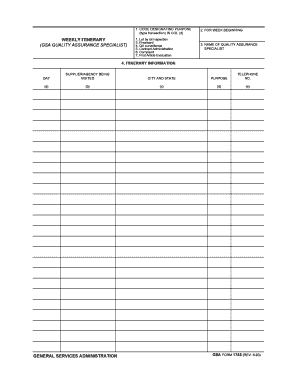
- In the first section, labeled 'Code designating purpose', select the applicable type of transaction from the dropdown list, including options like preaward, QA surveillance, or complaint.
- Next, fill in the week beginning date in the designated field to indicate the start of the inspection or evaluation period.
- Proceed to the 'Name of Quality Assurance Specialist' section, where you should enter your full name to identify the individual responsible for the quality assurance activities.
- In the 'Itinerary Information' section, input details for each day of the week, including the supplier or agency being visited, the city and state, the purpose of the visit, and the corresponding telephone number.
- Review the entries for accuracy and completeness, making any necessary adjustments. This ensures that all required information is provided and correctly formatted.
- Once you are satisfied with the form, you can save your changes, download, print, or share the completed GSA Form 1748 as needed.
Complete your documents online efficiently and ensure all necessary information is accurately recorded.
Related links form
The General Services Administration manages federal property and provides contracting options for government agencies.