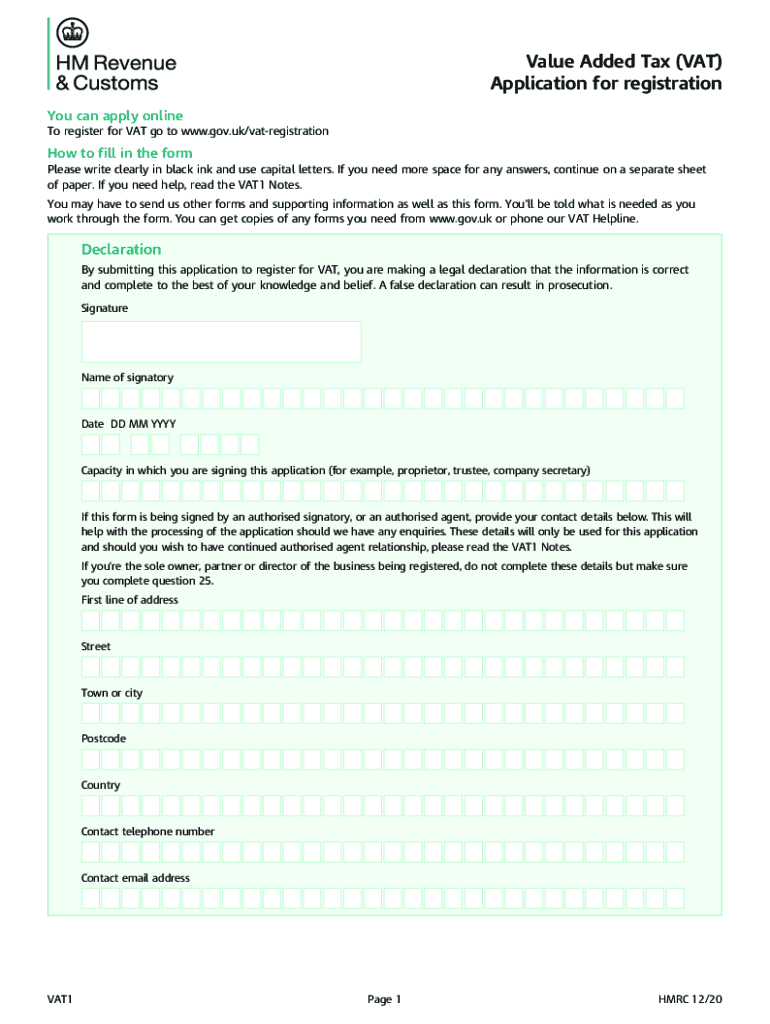
Tal letters. If you need more space for any answers, continue on a separate sheet of paper. If you need help, read the VAT1 Notes. You may have to send us other forms and supporting information as well as this form. You ll be told what is needed as you work through the form. You can get copies of any forms you need from www.gov.uk or phone our VAT Helpline. Declaration By submitting this application to register for VAT, you are making a legal declaration that the information is correct and co.
Loading

Open form follow the instructions

Easily sign the form with your finger

Send filled & signed form or save
How to fill out the UK VAT 1 online
This guide provides clear, step-by-step instructions on how to complete the UK VAT 1 form online. It is designed for users with varying levels of experience, ensuring that everyone can successfully navigate the form's components.
Follow the steps to complete your online VAT 1 application.
- Click ‘Get Form’ button to obtain the form and access it in the online editor.
- Begin by confirming your business status, indicating if you are a UK business or non-established business in the UK. Select the appropriate box based on your circumstance.
- Provide details about your business type. Complete the relevant section depending on whether you are a sole trader, partnership, limited company, etc. Ensure you include your unique taxpayer reference or national insurance number as needed.
- Fill in the business contact details by entering the address where the business primarily operates. Include your contact telephone number and email address.
- Choose the reason for your VAT registration, putting an 'X' in the applicable box. You should only select one reason and provide additional information as required.
- Estimate your taxable supplies for the next 12 months and provide details about any zero-rated supplies you anticipate.
- Complete any additional sections relevant to your business activities. This includes answering if you expect to receive goods from EU countries or if you make exempt supplies.
- In the applicant details section, provide your role in the business, personal details, and contact information.
- Finish by reviewing all entered information for accuracy and completeness. If necessary, download a copy of your completed application for your records.
- Submit the application once everything is confirmed as correct. Ensure that you save your changes.
Complete your VAT 1 application online today to ensure smooth processing.
Experience a faster way to fill out and sign forms on the web. Access the most extensive library of templates available.
Related content
A: According to the HRMC, the UK VAT registered business should provide you with their...
Use the notes to help (PDF, 220KB, 15 pages) complete the VAT 1 registration form...
Telephone numbers in the United Kingdom are administered by the UK government's Office of...
Get answers to your most pressing questions about US Legal Forms API.
How do I get a VAT number UK?
You can usually register for VAT online. You need a Government Gateway user ID and password to register for VAT . If you do not already have a user ID you can create one when you sign in for the first time. Registering for VAT also creates a VAT online account.
What are VAT numbers in UK?
VAT number format In England, Scotland, and Wales, a VAT number consists of the letters 'GB' followed by nine numbers. An example of a VRN that follows the UK VAT number format could be 'GB123456789'. If your business is located in Northern Ireland and you trade to the EU, you will use the prefix “XI” instead of GB.
What is the basic VAT in the UK?
Most goods and services are charged at the standard rate of 20%. You should charge this rate unless the goods or services are classed as reduced or zero-rated. Get a list of reduced or zero-rated goods and services.
Does everyone have a VAT number UK?
You can choose to register for VAT if your turnover is less than £85,000 ('voluntary registration'). You must pay HM Revenue and Customs ( HMRC ) any VAT you owe from the date they register you. If everything you sell is exempt from VAT, you do not have to register for VAT.
How do I know my VAT number?
Your unique VAT number is shown on the registration certificate which HMRC issue when your business becomes VAT registered. Once you receive your VAT registration certificate, you (or your agent) can create an online VAT account.
What is VAT 01?
VAT 01 is an exceptionally elegant single malt, suited to every palate. Ever in motion thanks to continues blending in our Solera VAT 1, this expression uniquely layers sweet and spicy notes for a soft and mellow taste with added depth due to its maturation in bourbon & red wine casks.
What do UK VAT numbers begin with?
In the UK, VAT numbers are nine digits long and always have the prefix GB.
How does VAT work in the UK?
The VAT you pay is usually the difference between any VAT you've paid to other businesses, and the VAT you've charged your customers. If you've charged more VAT than you've paid, you must pay the difference to HMRC . If you've paid more VAT than you've charged, HMRC will usually repay you the difference.
Use professional pre-built templates to fill in and sign documents online faster. Get access to thousands of forms.
If you believe that this page should be taken down, please follow our DMCA take down process here.
This form is available in several versions. Select the version you need from the drop-down list below.