Loading
Get Xxbrowse 23 1
How it works
-

Open form follow the instructions
-

Easily sign the form with your finger
-

Send filled & signed form or save
How to fill out the Xxbrowse 23 1 online
Filling out the Xxbrowse 23 1 form online can be an easy and efficient process. This guide provides clear, step-by-step instructions to help you navigate through each section of the form with confidence, ensuring you complete it accurately.
Follow the steps to successfully complete the Xxbrowse 23 1 online form.
- Click the ‘Get Form’ button to access the Xxbrowse 23 1 form and open it in your preferred editor.
- Begin with the 'Name' field. Enter the full name of the person completing the form, ensuring it is spelled correctly.
- In the 'Homework' section, specify the assignment or task related to the form. Provide details to ensure clarity.
- Next, input the 'Date' in the designated field. Use the format MM/DD/YYYY for consistency.
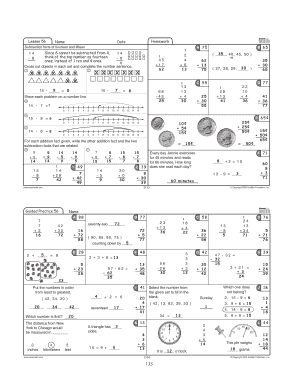
- Proceed to the section for 'Subtraction facts of fourteen and fifteen'. Complete the provided subtraction problems by entering the answers in the blanks.
- For problems related to number lines, illustrate your answers clearly using the number line feature provided in the form.
- Continue filling out any additional questions or sections as prompted by the form. Ensure you review your entries before finalizing.
- When you have completed all sections, you can save changes, download a copy of the filled form, or print it for your records. You may also share the form as needed.
Complete your documents online today for a seamless experience.