Loading
Get Uk Euco1 2020-2026
How it works
-

Open form follow the instructions
-

Easily sign the form with your finger
-

Send filled & signed form or save
How to fill out the UK EUCO1 online
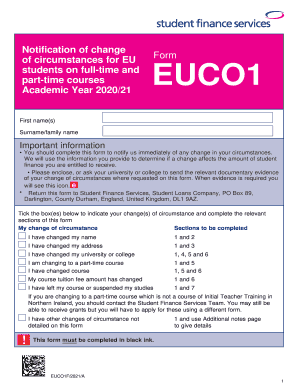
Completing the UK EUCO1 form is essential for informing Student Finance Services of any changes to your circumstances as an EU student. This guide will walk you through each section of the form to ensure you accurately provide the required information.
Follow the steps to complete the form effectively.
- Click ‘Get Form’ button to obtain the form and open it in the editor.
- In Section 1, enter your personal details including your customer reference number (if you have one), title, first name(s), surname/family name, and date of birth.
- In Section 2, if you have changed your name, fill in your new title, first name(s), and surname/family name. Ensure you attach relevant documentary evidence, such as a marriage certificate or deed poll.
- In Section 3, provide your new term-time and home addresses, including town/city, country, and postcode. Also include your new term-time and home phone numbers and the dates these addresses will change.
- In Section 4, enter your new university or college name and address. Include the UCAS code if known, and indicate if the change took place after starting a previous course. Confirm the change through your institution.
- In Section 5, provide details about your new course, including the name, any relevant UCAS codes, expected qualifications, and the course start and end dates. Indicate if it is an accelerated degree or ITT.
- In Section 6, state the tuition fee amount for your new course. If you need to change the amount of Tuition Fee Loan, follow the additional instructions provided.
- In Section 7, indicate if you began your course and provide the date you left or suspended your studies. Answer additional questions related to future study plans and reasons for leaving.
- Conclude by filling out the declaration at the end of the form. Ensure it is signed and dates are properly indicated.
- After completing the form, you can save changes, and then download, print, or share the completed document as needed.
Complete your documents online today to ensure timely processing of your student finance changes.