Loading
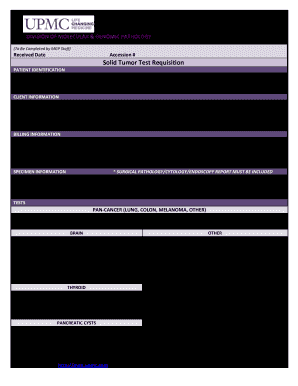
Get Upmc Solid Tumor Test Requisition 2019
How it works
-

Open form follow the instructions
-

Easily sign the form with your finger
-

Send filled & signed form or save
How to fill out the UPMC Solid Tumor Test Requisition online
Filling out the UPMC Solid Tumor Test Requisition is an essential step in the diagnostic process for patients with solid tumors. This guide provides comprehensive instructions to assist users in accurately completing the form online, ensuring all necessary information is provided to facilitate testing.
Follow the steps to complete the UPMC Solid Tumor Test Requisition online.
- Press the ‘Get Form’ button to access the UPMC Solid Tumor Test Requisition and open it in your preferred document editor.
- Begin with the patient identification section. Enter the patient's last name, first name, middle initial, birthdate, sex (select either male or female), diagnosis, Social Security Number or Medical Record Number, and the corresponding ICD-10 codes.
- Proceed to the client information section. Input the requesting institution or physician's name, their address, phone number, and fax number.
- Fill out the billing information section. Indicate the person or institution responsible for payment, along with their billing address, phone number, and fax number.
- In the specimen information section, ensure the surgical pathology/cytology/endoscopy report is included. Fill in the collection date and time, and select the source of specimen from the provided options.
- Select the tests required from the options listed. Make sure to check the appropriate boxes for the tests needed for the patient’s diagnosis.
- Review all entries for accuracy and completeness. Once satisfied, you can save changes, download the completed form for your records, print a hard copy, or share it as needed.
Complete your documents online today for a seamless submission process.
Get form
Experience a faster way to fill out and sign forms on the web. Access the most extensive library of templates available.
Get This Form Now!
Use professional pre-built templates to fill in and sign documents online faster. Get access to thousands of forms.