Get Fmcsa Op-1 2013
How it works
-

Open form follow the instructions
-

Easily sign the form with your finger
-

Send filled & signed form or save
How to fill out the FMCSA OP-1 online
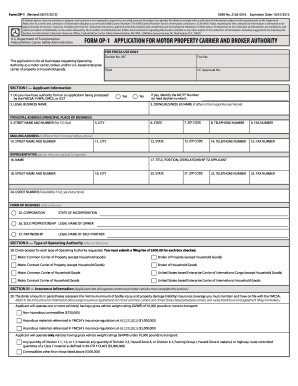
The FMCSA OP-1 form is essential for businesses seeking Operating Authority as a motor carrier, broker, or U.S.-based enterprise carrier of property or household goods. This guide provides detailed, step-by-step instructions on filling out the form online to ensure a smooth and compliant application process.
Follow the steps to complete the FMCSA OP-1 form online.
- Click ‘Get Form’ button to access the FMCSA OP-1 form and open it in your preferred online editor.
- Begin by completing Section I — Applicant Information. Provide the legal business name, any 'doing business as' name, and your principal address. Ensure to fill in all requested fields accurately, including city, state, zip code, and contact numbers.
- Next, in Section II — Type of Operating Authority, check the box(es) for the type(s) of authority you are requesting. Remember that a filing fee of $300 applies for each selected category.
- Proceed to Section III — Insurance Information. Indicate the insurance coverage amounts required based on the vehicles and materials you will be transporting. Ensure you understand the liability requirements.
- Complete Section IV — Safety Certification. Depending on your vehicle's weight capacity, affirm your familiarity with the Federal Motor Carrier Safety Regulations. Choose the applicable certification based on the gross vehicle weight rating of your vehicles.
- In Section V — Affiliations, disclose any relationships with other FMCSA-regulated entities and provide necessary details if applicable.
- If applicable, address Section VI — Household Goods Certifications, certifying your capability to transport household goods by confirming your fitness and understanding of related regulations.
- Follow through to Section VII — Scope of Operating Authority if you are requesting authority as a Motor Contract Carrier of Household Goods, and check the relevant boxes.
- Finalize the application in Section VIII — Applicant's Oath by providing your signature, title, and date. Double-check that all information is accurate.
- Finally, review your completed application before saving changes. You can download or print the form for your records, and if required, submit your payment to the appropriate address as guided.
To submit your FMCSA OP-1 application online, follow the steps outlined above for a hassle-free experience.
Get form
To file an OP-1, start by gathering the necessary information about your business and operations. Then, complete the form accurately, providing all required details. You can file the OP-1 online through the FMCSA's official website or use platforms like uslegalforms that guide you through the filing process. Once submitted, monitor your application status to ensure timely approval.