Loading
Get Santa Susana High School Library
How it works
-

Open form follow the instructions
-

Easily sign the form with your finger
-

Send filled & signed form or save
How to fill out the Santa Susana High School Library online
This guide provides comprehensive instructions for completing the Santa Susana High School Library document online. Whether you are familiar with digital forms or new to the process, these step-by-step directions will assist you in filling out the form accurately.
Follow the steps to complete your library form successfully.
- Press the ‘Get Form’ button to access the form and open it for editing.
- Begin by entering your name in the designated field to identify yourself. Ensure that you provide an accurate name to avoid any future misunderstandings.
- Next, indicate your period by filling in the appropriate field. This will help categorize your submission within the school’s records.
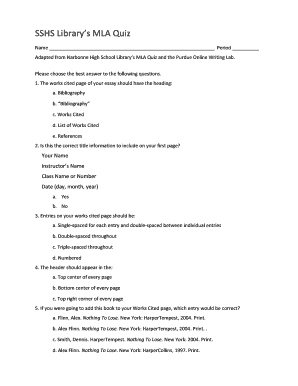
- Read through the questions thoughtfully. Each question will present multiple-choice answers regarding MLA citation rules. Make sure to select the best response for each.
- Once you have completed answering all questions, review your selections to ensure accuracy. This step is crucial for achieving the best results on your submission.
- After reviewing, you can either save your changes to your document or continue editing as needed. Additionally, you can download or print the form for your records before finalizing your submission.
Start filling out your document online now to enhance your research and citation skills.