Loading
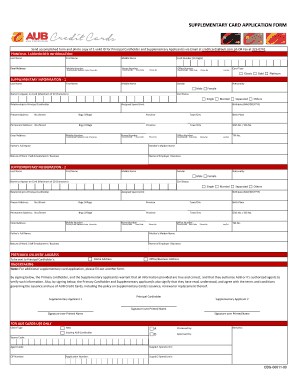
Get Aub Form
How it works
-

Open form follow the instructions
-

Easily sign the form with your finger
-

Send filled & signed form or save
How to fill out the Aub Form online
Filling out the Aub Form online can be a straightforward process when you understand each section and field. This guide will walk you through the steps necessary to complete the form accurately and efficiently.
Follow the steps to successfully complete the Aub Form online.
- Press the ‘Get Form’ button to access the form and open it in your preferred online editor.
- Begin with the 'Principal Cardholder Information' section. Input the last name, first name, and middle name of the principal cardholder. Then, provide an email address, mobile number, and home number. Make sure to include the country code and network code for accurate contact information.
- In the same section, enter the 16-digit card number, area code, and office number with appropriate country codes. Select the desired card type from the available options: Classic, Gold, or Platinum.
- Proceed to 'Supplementary Information - 1' and fill out the details for the first supplementary applicant. Include the last name, first name, and middle name. Choose the gender and nationality, and specify the name to appear on the card, ensuring it does not exceed 20 characters.
- Continue with the civil status, assigned spend limit, relationship to the principal cardholder, and birthdate fields. Provide the address information, including no/street, barangay/village, province, and city. Fill in the birth place, GSIS or SSS number, and present address details.
- Complete the contact information by providing mobile number, email address, home number, and office number for the supplementary applicant. Don't forget to include the relevant country codes and area codes.
- Next, provide the father’s full name, mother’s maiden name, nature of work or self-employment, and details of the employer or business along with the contact number and TIN number.
- Repeat steps for filling out the second supplementary applicant’s information in the 'Supplementary Information - 2' section, ensuring all information is complete and accurate.
- In the 'Preferred Delivery Address' section, choose whether the card should be sent to the home address or office/business address of the principal cardholder.
- Finally, review the undertaking statement and sign the form to confirm that all provided information is correct. Ensure all supplementary applicants also sign their respective sections.
- Once all fields are completed, save the changes made to the form. You can then download, print, or share the completed Aub Form as needed.
Complete your Aub Form online today and streamline your application process.
Entry Qualifications All applicants must have Level 3 qualifications, which should include at least one creative subject. We're looking for between 112 and 120 UCAS Tariff points. The standard offers for degree courses include: GCE A Levels – BBB at A Level excluding General Studies, or 120 UCAS Tariff points.