Loading
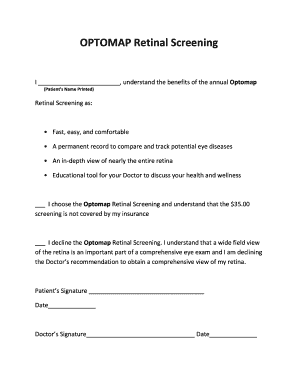
Get Optomap Retinal Screening - Emerald Coast Eye Care
How it works
-

Open form follow the instructions
-

Easily sign the form with your finger
-

Send filled & signed form or save
How to fill out the OPTOMAP Retinal Screening - Emerald Coast Eye Care online
Filling out the OPTOMAP Retinal Screening form is a crucial step in monitoring your eye health. This guide will provide clear and detailed instructions to help you complete the form accurately and efficiently.
Follow the steps to successfully complete the OPTOMAP Retinal Screening form.
- Click ‘Get Form’ button to obtain the form and open it in the editor.
- In the first section, enter your full name in the designated space as 'Patient’s Name Printed'.
- Review the benefits of the Optomap Retinal Screening listed, which highlight its advantages.
- In the next section, choose either to proceed with the screening by marking the appropriate checkbox indicating your acceptance of the $35.00 cost, or choose to decline the screening by marking the relevant checkbox.
- Ensure you provide your signature in the 'Patient’s Signature' section along with the date.
- Leave the 'Doctor’s Signature' section blank for the healthcare provider to fill in.
- Finally, review all the entered information for accuracy before saving your changes, downloading, printing, or sharing the completed form.
Complete your documents online to ensure your eye health is well-managed!
With a single optomap image we can capture up to 82% of your retina (as compared to 15-60% with a traditional imaging device). And, if we need to, our technicians can take directional optomap photos to zone in on areas our doctors want to evaluate further.