Loading
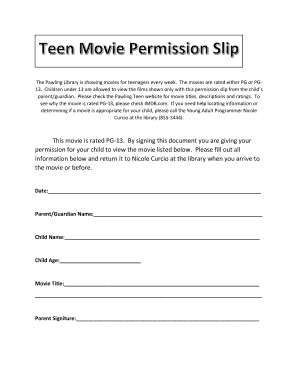
Get Movie Permission Slip
How it works
-

Open form follow the instructions
-

Easily sign the form with your finger
-

Send filled & signed form or save
How to fill out the Movie Permission Slip online
Filling out the Movie Permission Slip online is an essential step for parents or guardians who wish to allow their children to attend PG or PG-13 rated films at the Pawling Library. This guide will walk you through the process, ensuring you complete the form accurately and efficiently.
Follow the steps to complete the Movie Permission Slip with ease.
- Press the ‘Get Form’ button to acquire the Movie Permission Slip and open it in your preferred editor.
- Begin by entering the date in the designated field to indicate when you are submitting the permission slip.
- Provide your name in the 'Parent/Guardian Name' field to confirm your identity as the person granting permission.
- Fill in your child's name in the 'Child Name' section to specify who is receiving permission to view the film.
- Input your child's age in the designated 'Child Age' field, which is necessary for age verification related to the film rating.
- List the movie title in the 'Movie Title' field to identify which film your child has permission to view.
- Sign the document in the 'Parent Signature' field to authenticate that you are granting permission for your child to watch the movie.
- Review all entries for accuracy, then save any changes made to the form. You may choose to download, print, or share the completed permission slip as needed.
Complete your Movie Permission Slip online today to ensure your child can enjoy the movie!
When creating online permission slips, there are a few items you should include and request: Add details about the event, including date, departure, return time, location, price, mode of transportation, and a brief description of what the child should expect on the trip as well as ways to help them prepare.