Loading
Get Bt Business Super,
How it works
-

Open form follow the instructions
-

Easily sign the form with your finger
-

Send filled & signed form or save
How to fill out the BT Business Super, online
Completing the BT Business Super form is a straightforward process that allows employers to add new employees to their superannuation plan. This guide provides clear and supportive instructions to help you successfully fill out the form online.
Follow the steps to complete the form effectively.
- Click ‘Get Form’ button to obtain the form and open it in the editor.
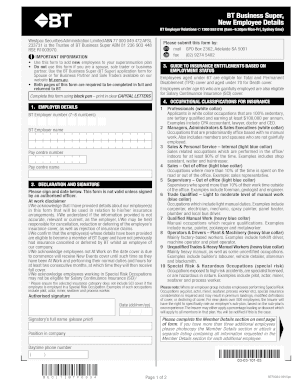
- Fill in the BT employer number and BT employer name in the designated fields at the top of the form. Ensure that the information is accurate to avoid any processing delays.
- Enter the pay centre number and pay centre name, ensuring that you provide complete and correct details.
- In the declaration and signature section, an authorised officer must sign and date the form. This step is crucial as the form will be considered invalid without this signature.
- Complete the guide to insurance entitlements section to confirm which categories of insurance apply to the new employees.
- Move on to the member details section and fill in all mandatory fields for each employee. This includes their title, given names, surname, residential address, date of birth, employment status, insurance category, and annual income.
- For each employee, ensure that the tax file number is provided as it is mandatory for processing.
- Once all sections are completed accurately, review the form for any errors or missing information.
- Finally, save your changes and download, print, or share the completed form as needed.
Encourage new employees to complete their BT Business Super forms online for a seamless experience.
BT Super and BT Super for Life products were transferred to Mercer Super on 1 April 2023 and are no longer available. For more information please visit mercersuper.com.au/bt or call 1800 682 525 Mon to Fri 8am – 7pm (AEST).