Loading
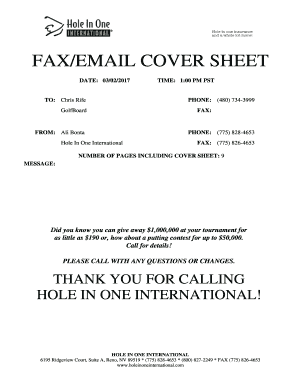
Get Fax/email Cover Sheet
How it works
-

Open form follow the instructions
-

Easily sign the form with your finger
-

Send filled & signed form or save
How to fill out the FAX/EMAIL COVER SHEET online
This guide provides clear and comprehensive instructions on how to fill out the FAX/EMAIL COVER SHEET online. By following these steps, you can ensure that your document is completed accurately and efficiently.
Follow the steps to correctly fill out the FAX/EMAIL COVER SHEET.
- Click the ‘Get Form’ button to obtain the form and open it in your preferred editor.
- Begin by entering the date in the appropriate field. This should reflect the day you are filling out the form.
- In the ‘To’ section, enter the name of the recipient. Ensure that the name is accurately spelled to avoid any delivery issues.
- In the ‘From’ section, fill in your name along with your organization’s name. Double-check for correct representations.
- Specify the time you are sending the fax or email, including the time zone to prevent confusion.
- Provide the relevant phone numbers for both the sender and recipient. Include fax numbers if they are applicable.
- Indicate the total number of pages being sent, including the cover sheet itself, to ensure comprehensive delivery.
- Write a message or explanation on the cover sheet, if necessary. This can include key details or instructions for the recipient.
- Review the completed cover sheet for any errors or missing information. This ensures all vital details are provided.
- Once verified, save your changes to the document, and proceed to download, print, or share as needed.
Complete your documents online to ensure they are sent promptly and correctly.
You should always use a fax cover sheet when sending fax messages. Not only is it proper protocol, but it also helps your message get to the right person.