Loading
Get Vericool Payment Portal
How it works
-

Open form follow the instructions
-

Easily sign the form with your finger
-

Send filled & signed form or save
How to fill out the Vericool Payment Portal online
Filling out the Vericool Payment Portal can simplify your payment processes for school-related expenses. This guide will walk you through the necessary steps to efficiently complete your payment transactions online.
Follow the steps to successfully complete your payment.
- Press the ‘Get Form’ button to obtain the form and open it in the editor.
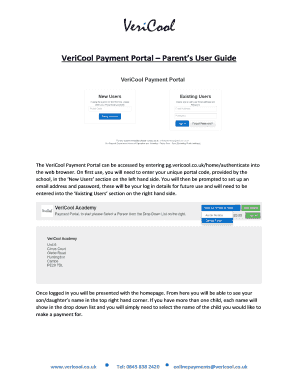
- Enter your unique portal code in the ‘New Users’ section to set up your account. After entering your portal code, set up your email address and password for future access.
- Log in using the ‘Existing Users’ section by entering your email address and password.
- Once logged in, locate your child’s name in the top right corner. If you have more than one child, select the child for whom you wish to make a payment from the drop-down list.
- Choose from the categories on the left panel, such as Cart, Dinner Money, Trips, School Shop, Dinner Transactions, and Purchase History, to find the items or payments needed.
- To add dinner money, select the amount from the options available and click ‘Add to Cart’.
- In the ‘Trips’ section, review available trips and click ‘Add to Cart’ for those that are payable in installments.
- For the ‘School Shop’, select desired items, add them to your cart, and proceed to payment.
- View your cart to confirm selected items. Click ‘Remove’ to delete any unwanted items.
- Agree to the terms and conditions to enable the ‘Checkout & Pay’ button.
- Enter your card details as prompted and submit your payment.
- After submission, you will be redirected to a secure payment approval page where you will receive a confirmation message and reference number for your transaction.
Take a moment to complete your preferred payments online using the Vericool Payment Portal.
Once you are logged in, you will be able to select from a number of different categories on the left panel. These categories include; Cart, Top Up Account, Transactions and Purchase History. In order to add funds to your account, simply select the chosen amount from the available options and then click 'Add to Cart'.
Industry-leading security and compliance
US Legal Forms protects your data by complying with industry-specific security standards.
-
In businnes since 199725+ years providing professional legal documents.
-
Accredited businessGuarantees that a business meets BBB accreditation standards in the US and Canada.
-
Secured by BraintreeValidated Level 1 PCI DSS compliant payment gateway that accepts most major credit and debit card brands from across the globe.