Loading
Get Qlik Sense Topologies
How it works
-

Open form follow the instructions
-

Easily sign the form with your finger
-

Send filled & signed form or save
How to fill out the Qlik Sense Topologies online
This guide provides a comprehensive overview of filling out the Qlik Sense Topologies form online. With step-by-step instructions, users can easily understand the components of the form and how to complete it effectively.
Follow the steps to fill out the form efficiently.
- Click the ‘Get Form’ button to access the Qlik Sense Topologies form and open it for editing.
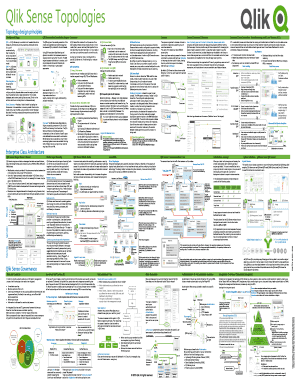
- Begin with the 'Topology design principles' section. Here, provide a brief description of the overall topology structure, including essential elements like the QIX Engine and various data connections.
- In the 'Dashboard (App)' segment, detail the main features of the Qlik Sense app, including the QVF structure and associated visualizations. Ensure to note how these components interact to create a self-contained analytical environment.
- Move to the 'Entities' section and enumerate the different entities such as measures, dimensions, and their roles within the data model. Clarify the function and purpose of each entity in supporting data analysis.
- Address the 'Foundation' segment by explaining the central node’s function in managing the overall site, discussing its role in controlling application reloads and task management.
- Incorporate details regarding 'Streams' and the structure of user access rights. Define roles such as Consumer and Contributor, highlighting how user permissions govern app accessibility.
- Conclude with the 'Governed Data Extraction, Transformation and Load Process (ETL)' section. Describe how data transitions through various stages, ensuring clarity on methodologies utilized during ETL processes.
- Finally, review all sections for completeness. Users can save changes, download, print, or share the completed form based on the given options.
Begin filling out the Qlik Sense Topologies form online to enhance your data management capabilities.
You can deploy Qlik Sense Enterprise on Windows on a cloud infrastructure platform, such as Amazon AWS and Microsoft Azure, to take advantage of cloud-native scalability, low maintenance storage options, and high reliability.
Industry-leading security and compliance
US Legal Forms protects your data by complying with industry-specific security standards.
-
In businnes since 199725+ years providing professional legal documents.
-
Accredited businessGuarantees that a business meets BBB accreditation standards in the US and Canada.
-
Secured by BraintreeValidated Level 1 PCI DSS compliant payment gateway that accepts most major credit and debit card brands from across the globe.